

Changelog: What’s new in your AI-Tools#
Here are the new features and improvements you can look forward to in the AI-Tools:
Update on August 20, 2026#

Is my site in AI search? Are my texts being cited?
AI is changing how articles and our brands are found on the web.
Sometimes contradictory information about search engine optimization (SEO) and optimization for AI search (GEO, Generative Engine Optimization) makes it difficult to take the right measures.
This is where your new assistant Sofia SEO comes in. She checks the visibility, technology, and structure of your website and makes suggestions for improvement.
All of this comes to your AI-Tools with this update:
New Web Scraper: The webpage-visiting tool not only retrieves page content, but can also analyze page structure and extract key SEO metrics. It simulates crawlers and search bots to capture how the page is viewed by Google, Anthropic, Perplexity, or ChatGPT. The scraper emulates various devices and screen sizes and takes screenshots of the page for the AI to analyze. To Web Scraper
Sofia SEO: The AI assistant uses the new web scraper to check the technology, structure, headlines, content, and appearance of the website across various devices. What does the page look like on a mobile device, and what information does an AI crawler that doesn’t execute JavaScript receive? Sofia SEO combines the results with current page performance data from Matomo and generates a detailed report. To Sofia SEO
Watermarked AI Texts: On August 2, Anthropic began adding an invisible marker to all generated texts. The mechanism: when predicting the next token (word part), the most likely option is not always chosen; instead, following a specific pattern, the second- or third-most likely token is chosen alternately. This hidden pattern can later be reconstructed, allowing Anthropic to calculate the probability that Claude wrote the text. The technique is not foolproof-manually revising the text can blur the watermark. For program code, the watermark is reportedly disabled. Google invented a technique called SynthID and uses it to watermarked its AI outputs. OpenAI will also introduce an AI watermark. To Anthropic’s blog post
Mistral Hosts Chinese Model: The Paris-based AI startup has started running third-party language models on its own platform. This is interesting because it allows us to use powerful, open models from China through a European provider. Mistral is launching with GLM 5.2 from Z.ai. It is comparable to Anthropic’s Claude 5 Sonnet at half the price. We recommend all customers add Mistral as a provider. Create Mistral account
New Models in AI-Tools: Google has released Gemini-3.7 Flash. It is an all-rounder in the class of Claude 5 Sonnet and GPT-5.6 Terra. Playing in the same league is Qwen 3.8 from Alibaba. And there is a new version of DeepSeek-V4 Pro.
Update on July 28, 2026#

What were our most successful posts this week? How do we compare to other brands? What could we improve?
Danny Data can now help your social media team answer these questions. He analyzes social media channels, creates clear charts, and provides concrete recommendations for action.
AI assistants for Sales & Social Media are the focus of this update:
Meta Connector: You can now use the AI-Tools to retrieve and analyze performance data for posts and ads from your Meta Business Suite: Retrieve Facebook & Insta data.
Klicktipp: Use the AI-Tools to enrich your leads in the well-known email marketing platform. This lets your sales team immediately see who the prospect is and prepare perfectly for the initial conversation: Klicktipp lead enrichment.
Calculator with business KPIs: ABC analysis, ROI calculation, forecasts, clustering, and classification. The calculator has received many new business features: Business KPI.
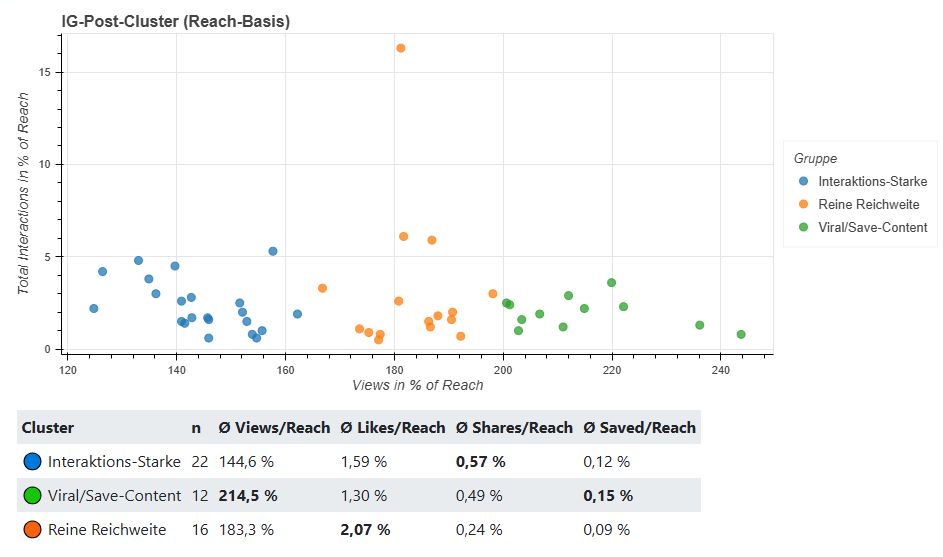
Charts: We have also expanded the Charts tool for the new analysis features: stacked bars, multiple time series, and scatter plots for cluster analyses.
Kimi K3: Moonshot AI’s new Chinese model is making the US tech giants nervous because it comes close to the performance of top-tier models at significantly lower prices. You can try out Kimi K3 in the AI-Tools. For most editorial tasks, we do not need models in this performance class.
Even more LLMs: OpenAI, Anthropic, and Google have once again been in a release race. New to the AI-Tools are: Claude 5 Opus, Gemini 3.6 Flash, Gemini 3.5 Flash Lite, and GPT-5.6 in the Sol, Terra, and Luna variants.
Retrieve data from Facebook & Insta#
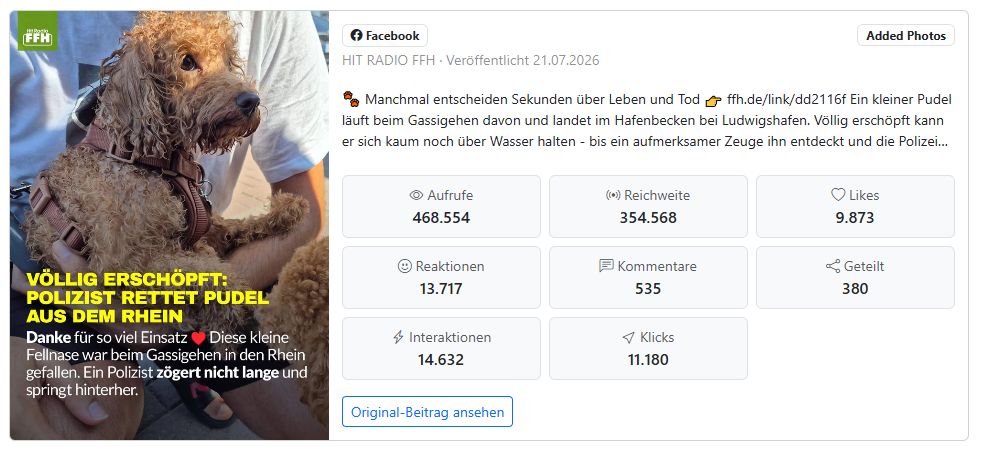
Anyone who works regularly with Meta Business Suite knows how tedious it can be to filter out the truly important metrics from the large volume of data. You can now grant Danny Data access to your Meta data. He analyzes the performance of posts and ads, creates clear reports, and, if needed, writes a guide for successful posting for your social media team.
Sammy Social also knows the data and can, for example, adjust the editorial plan.
With the new Calculator and Chart features, you can also carry out more in-depth analyses. For example, you can run a cluster analysis to find out which types of posts perform particularly well and which do not.
Update on July 9, 2026#

The friendly guy in green is your new Profile Manager. He makes sure your assistants know who you are, how you work, and what matters most in your projects right now.
We’ve built a memory feature into the AI-Tools.
There, you can save different writing styles for presentations, articles, social media posts, emails, or news items, for example.
And: you can import an existing user profile directly from ChatGPT or Claude into the AI-Tools. Transfer data from ChatGPT and Claude
You can find everything about it in the chapter Memory.
There are also these new features:
Become an AI pro with Helpy: Your AI assistant Helpy is already using the new memory feature. It can put together a personalized online course for you that helps you become an AI pro step by step - complete with quiz questions and the right links to the online manual. Thanks to memory and the to-do list, it remembers where you are and which topics you’ve already covered.
Summarize chat: Click this button below the chat window when your chat has become very long. All important information is stored in a compact summary and passed on to the assistant as soon as you restart it. This makes the chat faster, the answers more precise, and saves lots of tokens.
Nano Banana 2 Lite: Google is giving its image generator a third variant - lightning-fast for quick drafts. You can now choose between Nano Banana 2, Pro, and Lite.
Tidier model selection: We’ve already removed outdated image generators from Google and OpenAI that will be discontinued soon. That keeps the image generator clear and easy to navigate.
Mistral OCR 4: French provider Mistral has updated its text recognition model. OCR 4 now extracts text, images, and tables from PDF files even more reliably.
New open models from China: GLM 5.2, Kimi-K2.7 Code, DeepSeek-V4 Pro, and Qwen 3.7 Plus come surprisingly close to the top models from OpenAI and Anthropic - at a fraction of the cost. They are hosted by US provider Fireworks AI, so you can use them without any data connection to China. You’ll find them all under Open language models.
Claude 5 Faible is back - with the handbrake on: The US government has allowed Anthropic to reactivate its flagship model, but with heavy restrictions. For many tasks, it internally falls back to Claude 4.8 Opus. Our verdict: not essential right now.
Managing memory: the Profile Manager#

You have two types of memory available: your user profile works across assistants - your name, your writing style, your target audience. By contrast, project memory with its to-do list belongs to a single assistant or workflow and remembers, for example, which topics have already been covered or where you currently are in a series.
A few things you’ll probably want to know: memory is turned off by default and has to be actively enabled for each assistant. With incognito mode, you can start a chat at any time without anything being saved - the send button turns purple so you don’t forget. The system automatically deletes old, unused entries after 200 days. And one more thing: your data is stored on servers in Germany, in compliance with the GDPR, and no one in your organization can view it.
A memory system you have to maintain yourself isn’t a good memory system. That’s why there’s a new assistant in the marketplace: Profile Manager.
It’s your personal go-to assistant for everything related to your user profile. You don’t have to type everything in yourself or fill out a form - the Profile Manager guides you to a complete profile with targeted questions, shows you at any time what is currently stored, and updates or deletes individual entries whenever you ask.
Here are a few examples you can simply type into the chat:
“Show me what you have stored about me.”
“Update my position: I’m now Head of Digital.”
“Delete my stored email address.”
And if you’ve already been working with ChatGPT or Claude for a while and have built up a profile there, the Profile Manager can also help you move it over. Just use a short export prompt with your previous provider, paste in the output - done. You’ll find all the details in the chapter Memory.
Update on June 22, 2026#
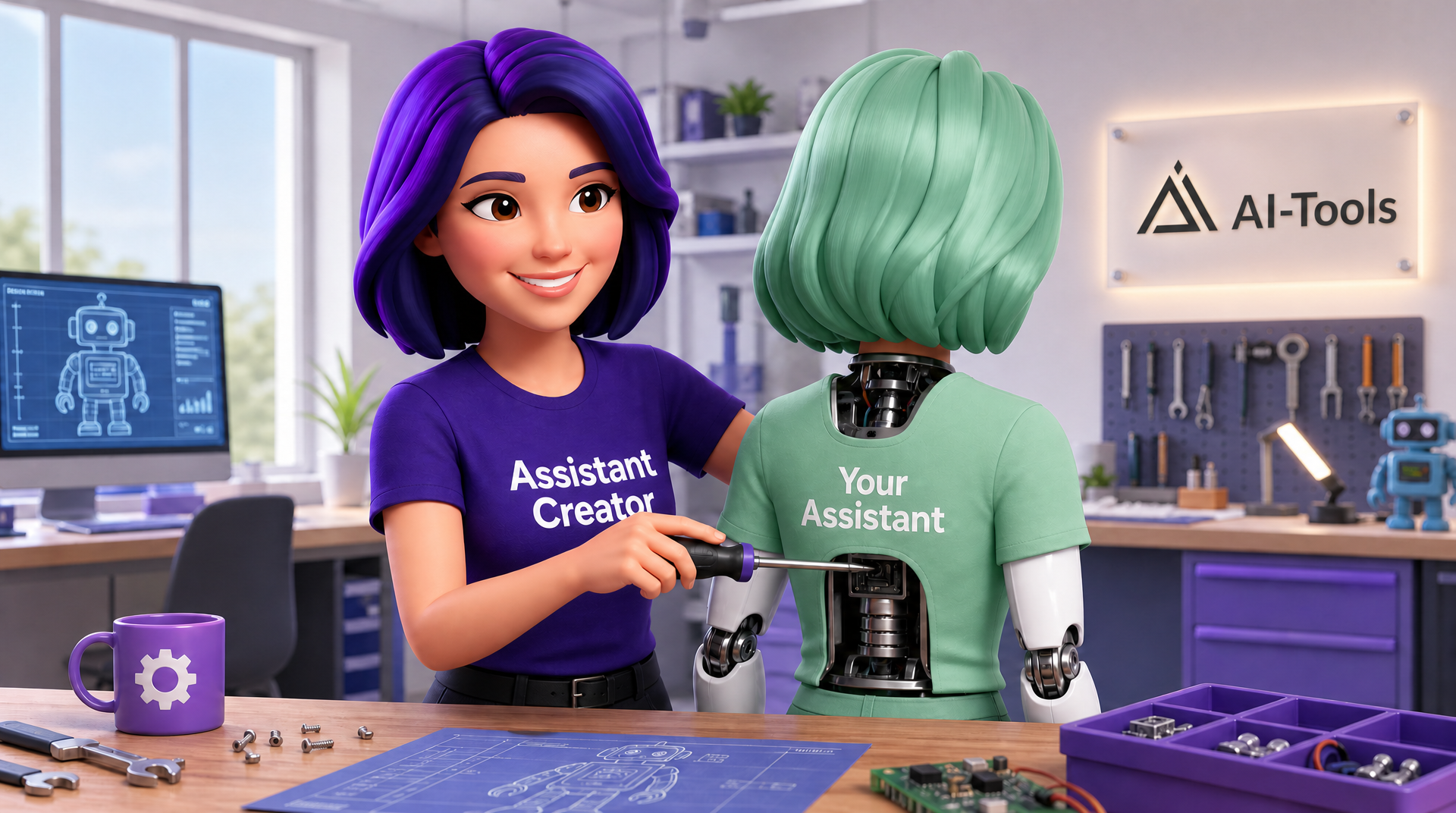
Tada! This is Assistant Creator, the new AI assistant that will change your life.
Okay - that’s a total exaggeration. But what if Assistant Creator could build a personal AI assistant just for you?
An assistant that writes like you, helps you with research, and prepares you for client conversations.
Or one that creates a focus group with different personas from your target audience so you can test your content before publishing it.
The new Assistant Creator can do all of that for you - and you won’t need to write a single prompt. Sounds like something you should try right away, doesn’t it? Head this way: Assistant Creator.
There are also these new features:
Open-source AI models: This makes us less dependent on Anthropic, OpenAI, and others. In the AI-Tools, you can now use open language models hosted, for example, by OVHcloud or Microsoft Foundry. The benefits: much lower costs, and all data stays in Europe.
Fable 5 or not: For a short time, the frontier model Claude 5 Fable was available in our model selection - until Anthropic had to withdraw it under pressure from the US government. If it is approved again, we’re ready.
Labeling AI-generated images: Article 50 of the EU AI Act requires AI-generated images to be labeled. From now on, every image you generate in the AI-Tools will receive a machine-readable label. Your CMS, for example, can detect this and display an AI notice on your website.
Focus Group: This assistant simulates four different personas that evaluate your content.
Marvellous Mods: Writes on-air copy, music intros and links, and helps with preliminary research.
The two new assistants, Focus Group and Marvellous Mods, are only templates. Please use Assistant Creator to build your own assistant from them for your style and your target audience.
Focus Group#
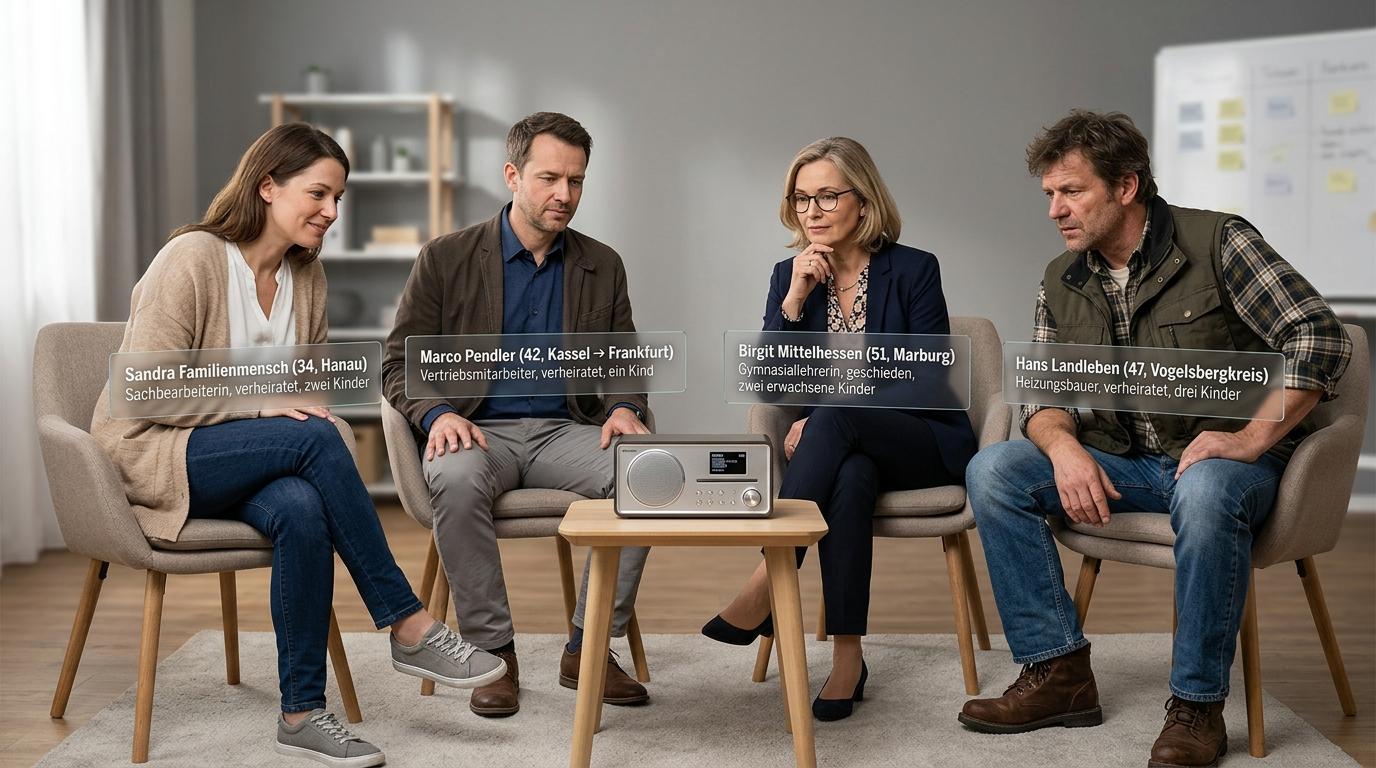
A new contest, the new campaign page, the Instagram post - will it go over well with everyone in our target audience? This is a classic case for a focus group.
You invite a group of people from your target audience and ask them to evaluate the content - for example by showing them a segment or the layout of a radio contest.
Real focus groups are time-consuming and expensive.
In the AI-Tools, you can build a panel of multiple personas and test your content with it: audio recordings, landing pages, social media graphics.
The AI panel evaluates your content from different perspectives: different age groups, genders, interests, and regions.
Of course, an AI panel like this does not replace real people. But it is a fast and affordable way to get initial feedback before publishing.
You can find the Focus Group assistant in the marketplace. Have Assistant Creator build a custom assistant from it that is tailored precisely to your target audience.
The same goes for Marvellous Mods: you need to have Assistant Creator customize it so it writes in your style and knows all of your station’s wording.
Update on June 8, 2026#

Oops, we used a lot of tokens! Brief panic at the end of the month. Rising AI costs are actually a good sign at first: the team is really using AI. The transformation is underway.
But of course, AI should be used cost-effectively. Our experience: Those who use AI more efficiently usually get better results too.
In the blog article Better results, fewer tokens - the best strategies you’ll find lots of practical tips for using AI efficiently.
What’s new in your AI-Tools:
Model Picker: Choosing the right AI model is now much easier. Clear model cards show you the key features, strengths, and costs of the different models at a glance. This helps you quickly find the right model for your task.
Control reasoning: Most newer-generation AI models come with advanced reasoning capabilities. You can now control how much reasoning the AI should use when handling your request. This makes your assistants more efficient.
Claude Opus 4.8: Anthropic’s new top-tier AI model has arrived. It is designed for complex workflows, agents, and software development.
Gemini 3.5 Flash: This Google model is a strong all-rounder for daily editorial workflows, document analysis, assistants, data analysis, and coding.
New model selection#
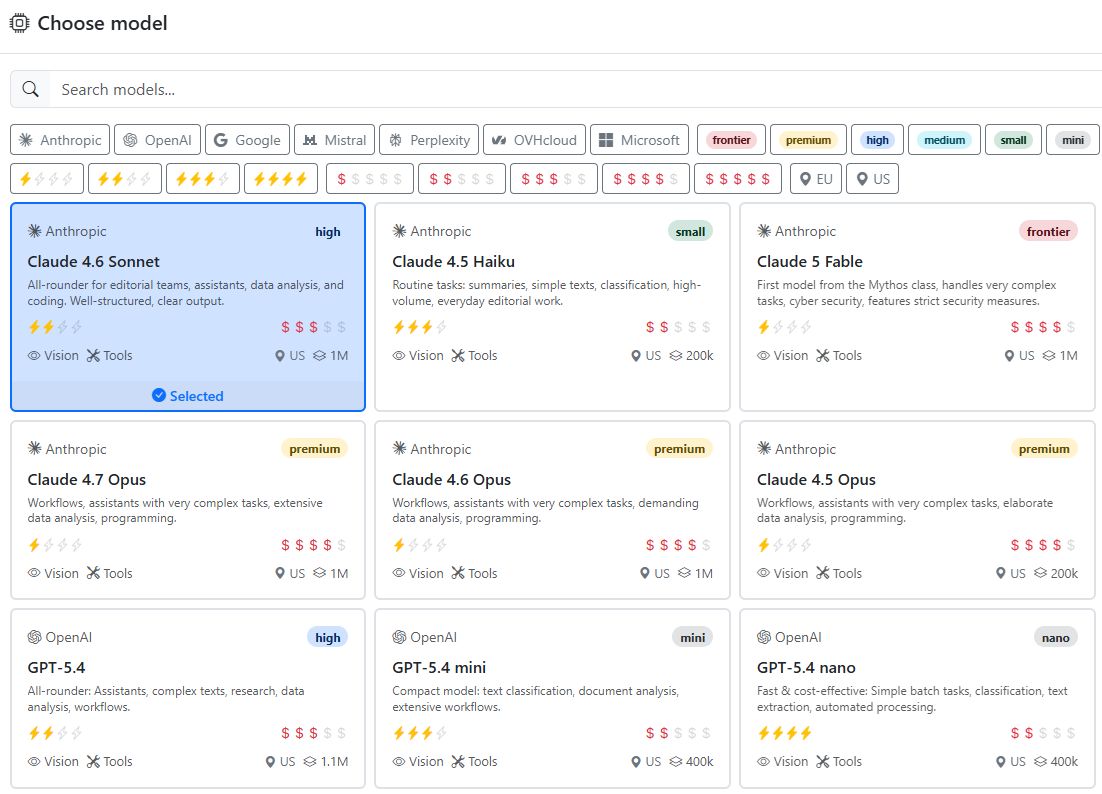
The large number of available AI models can sometimes make choosing difficult. With the new Model Picker, you can quickly find the right model for your task.
To help you compare models from different providers more easily, we have grouped them into performance categories. On the model cards, you can see the key features, strengths, and costs of the different models at a glance.
A search and filter function helps you narrow down the selection even further.
The guide to model selection shows you how it works. There, we also explain how you can control the models’ reasoning.
Update on May 4, 2026#

A reassuring update: You can now choose whether you want to start a new line in the chat with Enter or Shift + Enter.
Achoo! The pollen forecast is now part of the weather tool. You can check pollen levels for the next few days and use them in your texts.
What’s new:
Context menu: The three-dot context menu in the assistants’ chat window keeps the most important functions within easy reach, even in long chats. This is also where you choose whether to send a request with Enter or Shift + Enter.
Pollen forecast: You can now check pollen levels for the next few days with the weather tool.
GPT-Image 2: OpenAI left the field to the competition for a long time. Now the new high-end image generator is here. It can access information from the internet and handles infographics with lots of text. You can choose from 13 different aspect ratios. We created the pollen forecast image below with GPT-Image 2.
GPT-5.5: OpenAI is also catching up with Anthropic and Google in the premium language model segment. GPT-5.5 is particularly well suited for software development and complex agents. Like Opus 4.7, it comes at a correspondingly high price.
Save tokens: We have enabled so-called token caching for all models. In long chats, tokens the AI has already processed become significantly cheaper. That saves costs and makes AI responses faster.
Cut out slips of the tongue: Audrey Audio’s automatic interview editing has received an update. Audrey can now detect and remove slips of the tongue and filler words such as “um” or “hmm”.
Pollen forecast#

Pollen season lasts from February to October. 13 million people in Germany suffer from hay fever (source: BMBF). Trees under stress from drought and pollution-the climate crisis is making pollen more aggressive. Thunderstorms can dramatically intensify hay fever symptoms.
The pollen forecast is an important service for everyone affected. With the weather tool in the AI-Tools, you can check pollen levels for the next few days. We use the official data from the German Weather Service (DWD) as our source. It is updated every morning.
Update on April 22, 2026#
Want AI to edit radio segments automatically? Your assistant Audrey Audio can now do that. Shorten interviews, cut out quotes, or build entire segments - Audrey Audio makes it much faster.
Here’s what’s included in the latest update to your AI-Tools:
Automatic audio editing: Audrey Audio helps you quickly navigate long audio files and find the best parts.
Transcription with speaker identification: Stay on top of recordings with multiple speakers. All speakers are highlighted in different colors.
Three transcription tools to choose from: You can pick between Mistral, AssemblyAI, and OpenAI. Each has different strengths.
Send audio and files from workflows: Has your workflow created an audio file? You can now send it directly by email from the workflow.
Claude Opus 4.7: Anthropic only updated its top AI model back in February. Now the next update is already here.
Automatic audio editing#
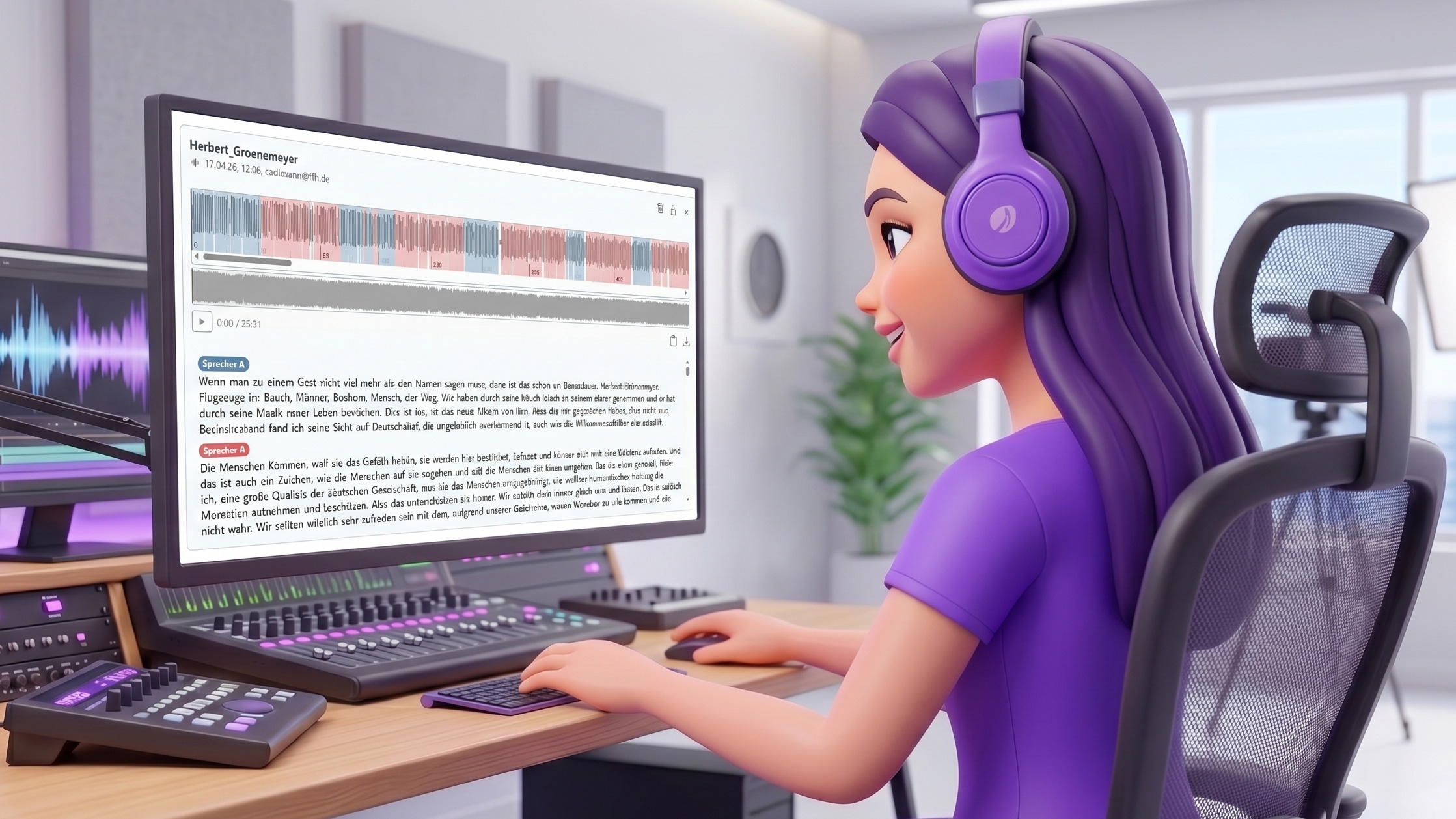
This is a real performance booster for editorial work. If you deal with lots of long audio files every day, Audrey Audio now helps you find the best parts quickly and edit the audio.
We’ve improved transcription. You can choose from three top providers: Mistral, AssemblyAI, and OpenAI. The transcript player is interactive: all speakers are color-coded. Just click on the waveform to jump to a specific point. Or click in the text to play the audio from there.
The AI assistant Audrey Audio can edit audio automatically. This helps you quickly split a long recording into individual topic sections, cut out the best quotes, or even build complete segments.
There are so many possible use cases. Go to the chapter Audio Production and check out the many prompt examples. In the video, you can see Audrey Audio editing a radio segment.
You’ll find all information about the new transcription feature and the different providers on the page Voice Recording & Transcription.
Update on March 9, 2026#
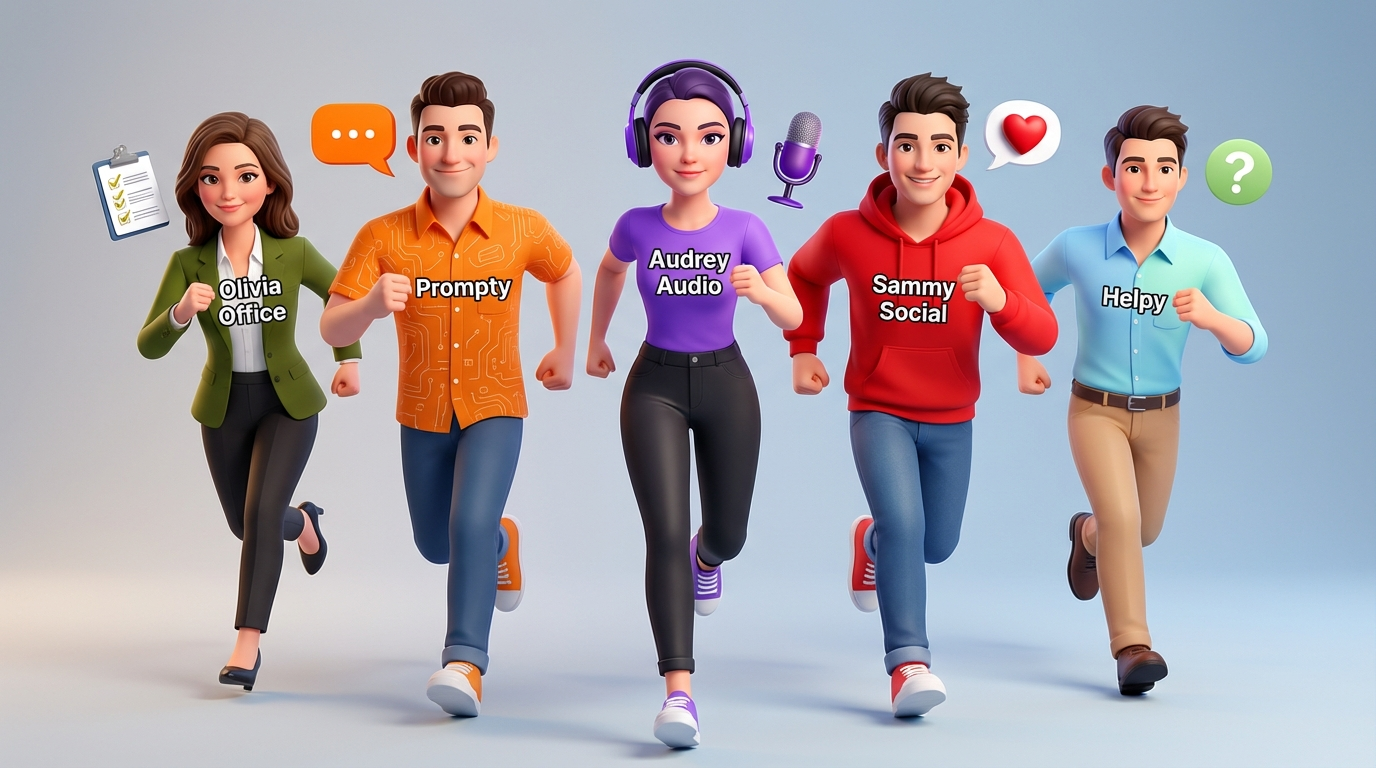
Wow! This update really packs a punch: 14 new assistants with superpowers to help you with your daily tasks. They specialize in writing emails, analyzing data, creating editorial plans and posts, proofreading texts, generating code, and much more.
And you can create your own assistants tailored exactly to your needs.
New Assistants module: In this module, you’ll find all assistants that help you with your daily tasks.
Transparent tools: Watch assistants use tools in real time. You can see every intermediate step and stay fully in control of the results.
Clear workspace: The four AI-Tools modules are now called: Assistants, Workflows, Images, and Voices.
New AI models: Anthropic, Google, and OpenAI have delivered again. You can now use these new models: Claude Sonnet 4.6 (ideal for assistants), GPT-5.4 (complex tasks), Gemini 3.1 Flash Lite (fast and affordable), and the new image generator Nano Banana 2.
Assistants#
Assistants are specialized AI helpers designed for specific tasks - for example writing emails, analyzing data, generating code, or proofreading texts. Each assistant has its own name, personality, and the right tools and settings to do its job especially well.
You can use ready-made assistants from the Marketplace, create your own, or customize existing ones to suit your needs.
The following assistants are available at launch:
Audrey Audio - audio production and podcast tasks
Ava Ads - writes slogans and produces commercials with AI voices and music
Coolio Code - programming and code development
Danny Data - data analysis, charts, and reports
DPA Research - research in the archive of the German Press Agency
Emma Email - writing and composing emails
Finn Facts Finder - fact research and information search
Helpy - explains all AI-Tools features and helps you with questions
Holly Headline - writing headlines and teasers
Leo Lektor - checking, correcting, and improving texts
Olivia Office - office tasks and documents
Prompty - the universal helper for all tasks
Sammy Social - social media posts and online content
Tom Translate - translating into many languages
Watch the video to see how to create your own assistant that writes exactly in your style.
Helpy explains the AI-Tools#
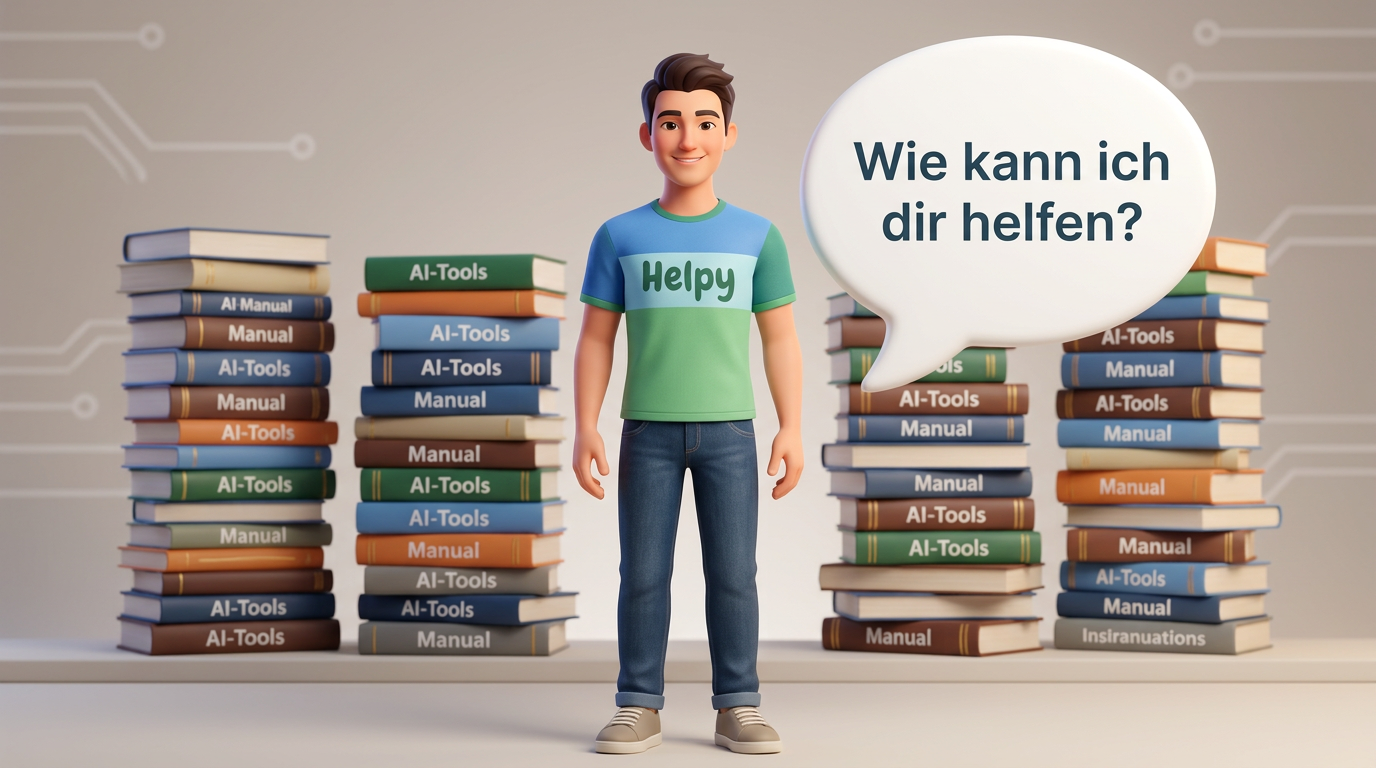
Helpy is a special assistant. He has the AI-Tools online manual in his head and explains all functions, tools, and possibilities to you. From now on, the rule is: if you ever get stuck or something doesn’t work, Ask Helpy!
Note
The new Assistants module replaces the previous Prompt Assistant module. It is much more powerful, flexible, and transparent. All Prompt Assistant features are now included in the new assistants. We will disable the Prompt Assistant at the end of March. All prompts in the prompt collection will remain available.
Update on February 10, 2026#
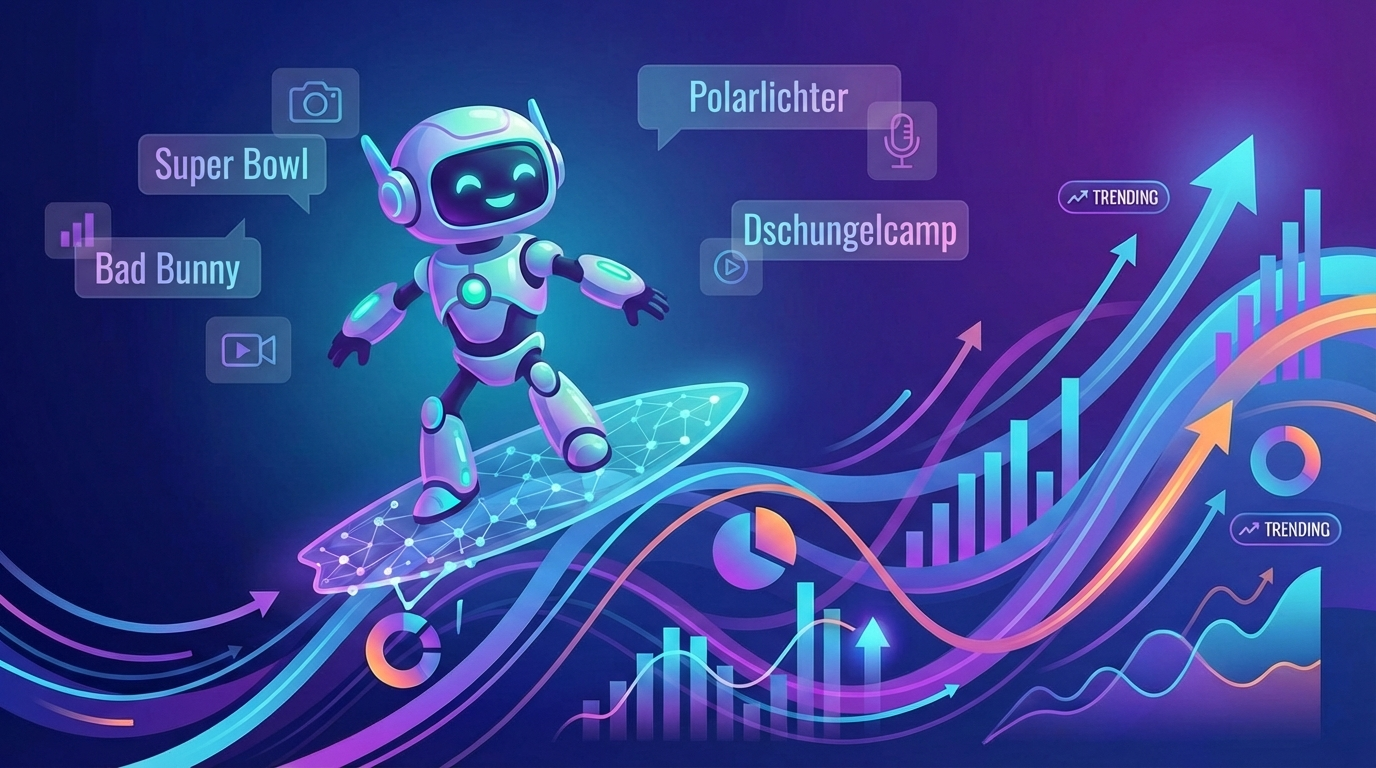
What are people in Hesse, Bavaria, North Rhine-Westphalia, or Lower Saxony searching for right now? Google Search Trends are now available in the AI-Tools. You can also analyze your website with Matomo - directly inside the AI-Tools. And there are new AI models from Anthropic and Black Forest Labs.
Google Search Trends: You can have the current Google Search Trends sent to your inbox regularly by the AI-Tools. That way, you can quickly see which topics are especially in demand right now.
Matomo: Analyze your website with Matomo, the popular open-source web analytics tool. You can use it to monitor visitor numbers, time on site, bounce rate, traffic sources, and much more.
Claude 4.6 Opus: Anthropic is back at the front with its new language model. It is faster, smarter, and more creative than its predecessor.
FLUX.2 Small: The new image generator from Black Forest Labs creates images in seconds, making it perfect for first drafts.
Google Trends#
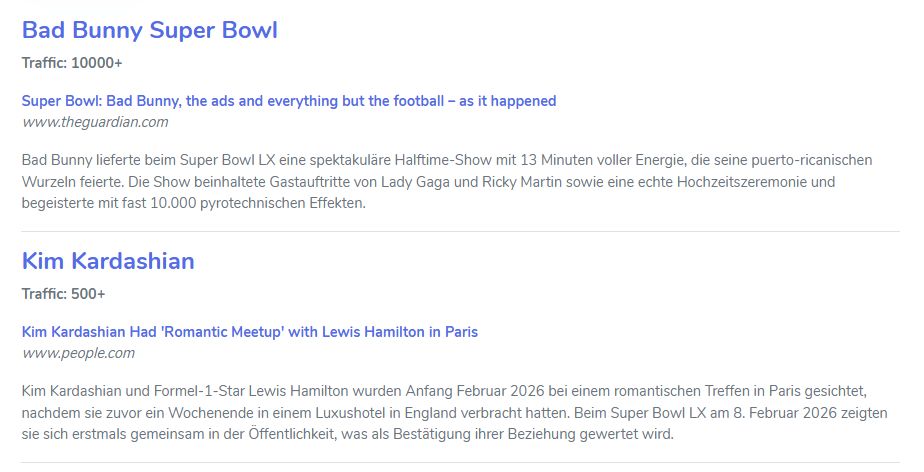
Google Search Trends show you which topics users are currently interested in. In the AI-Tools, you can retrieve trends for Germany or individual federal states. The new Google Trends workflow is used for this. You can find it in the workflow collection under Marketplace - News - Google Trends.
Open the workflow for editing and customize the system prompt. The prompt contains the URL of the Google Trends RSS feed. You can append your own region there. For example:
https://trends.google.com/trending/rss?geo=DE-BY for Bavaria or https://trends.google.com/trending/rss?geo=DE-HE for Hesse.
Other state codes: NW, NI, BW, RP, SL, BE, BB, MV, SN, ST, TH.
In the Distribute workflow step, enter one or more comma-separated email addresses so the trends can land in your inbox regularly.
Website analysis with Matomo#
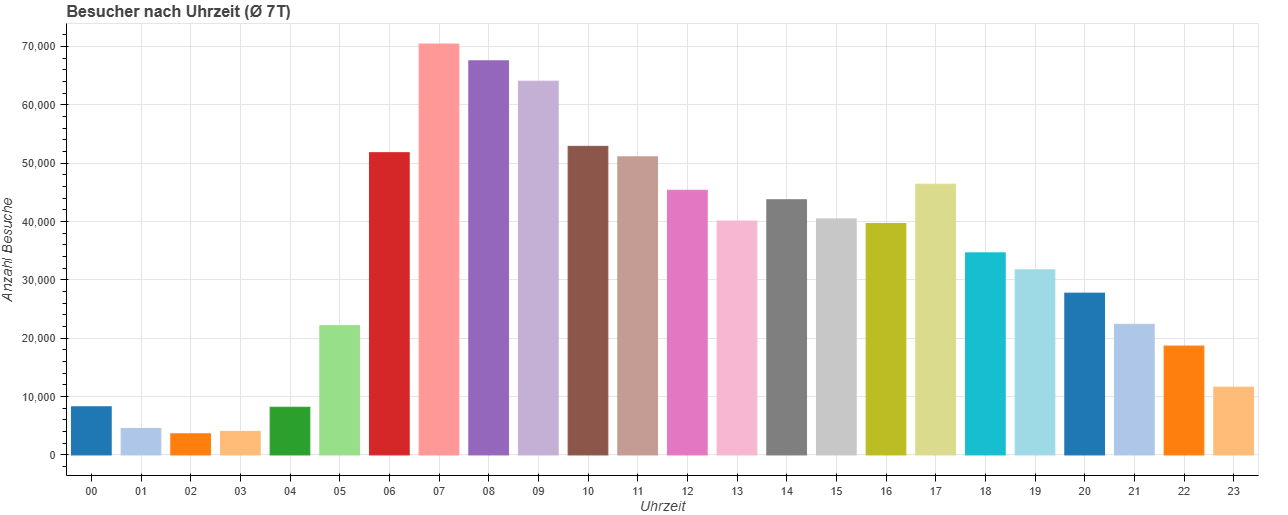
Which articles were the most popular yesterday? How many visitors did we have this month compared to the previous month? How is traffic developing overall? Are there seasonal fluctuations?
You can now give the AI-Tools access to your Matomo web analytics. This lets you retrieve and analyze your website’s key metrics directly in the AI-Tools.
You can ask the data questions in chat or automatically generate weekly or monthly reports with meaningful charts.
You’ll find many example prompts and instructions on the page Analyze website data with Matomo.
Previous years:
- Changelog 2025
- Update on 18 Dec 2025
- Update am 5.12.2025
- Update am 27.11.2025
- Update am 19.11.2025
- Update am 11.11.2025
- Update am 29.9.2025
- Update am 19.9.2025
- Update am 28.8.2025
- Update am 8.8.2025
- Update am 29.7.2025
- Update am 8.7.2025
- Update am 11.6.2025
- Update am 20.5.2025
- Update am 12.5.2025
- Update am 29.4.2025
- Update am 16.4.2025
- Update am 10.4.2025
- Update am 7.4.2025
- Update am 17.3.2025
- Update am 3.3.2025
- Update am 12.2.2025
- Changelog 2024