
Guide to Perfect AI Images#
This guide explains how to create compelling images for your media work using the professional image generators FLUX.2 Pro by Black Forest Labs and Gemini 3 Image Pro. From social media visuals and product images to infographics, you’ll find all the essential basics and practical examples here.
Prompting Basics#
Prompt Structure#
FLUX.2 Pro and Gemini 3 Image Pro (Nano Banana Pro) work best with a clear structure. Use this pattern for consistent results:
Subject + Action + Style + Context
Subject: The main focus (person, object, scene)
Action: What the subject is doing or its pose
Style: Artistic approach, medium, or aesthetic
Context: Setting, lighting, time, mood
Example:
A businesswoman in a suit, confidently presenting at a whiteboard,
professional business photography, modern office with glass walls
and warm daylight

Word Order Matters#
FLUX.2 gives more weight to the elements at the beginning of your prompt. So place the most important elements first:
Main subject
Most important action
Defining style
Essential context
Additional details
The Right Prompt Length#
Length |
Words |
Use case |
|---|---|---|
Short |
10-30 |
Quick concepts, style exploration |
Medium |
30-80 |
Ideal for most projects |
Long |
80+ |
Complex scenes with lots of detail |
For most use cases in editorial teams and agencies, 30-80 words is the ideal range.
Important
No negative prompts!
FLUX.2 does not support negative prompts. Always describe what you want, not what you don’t want.
❌ Wrong: “no blur, no people in the background”
✅ Correct: “sharp image, empty background, isolated”
Prompting in Your Own Language#
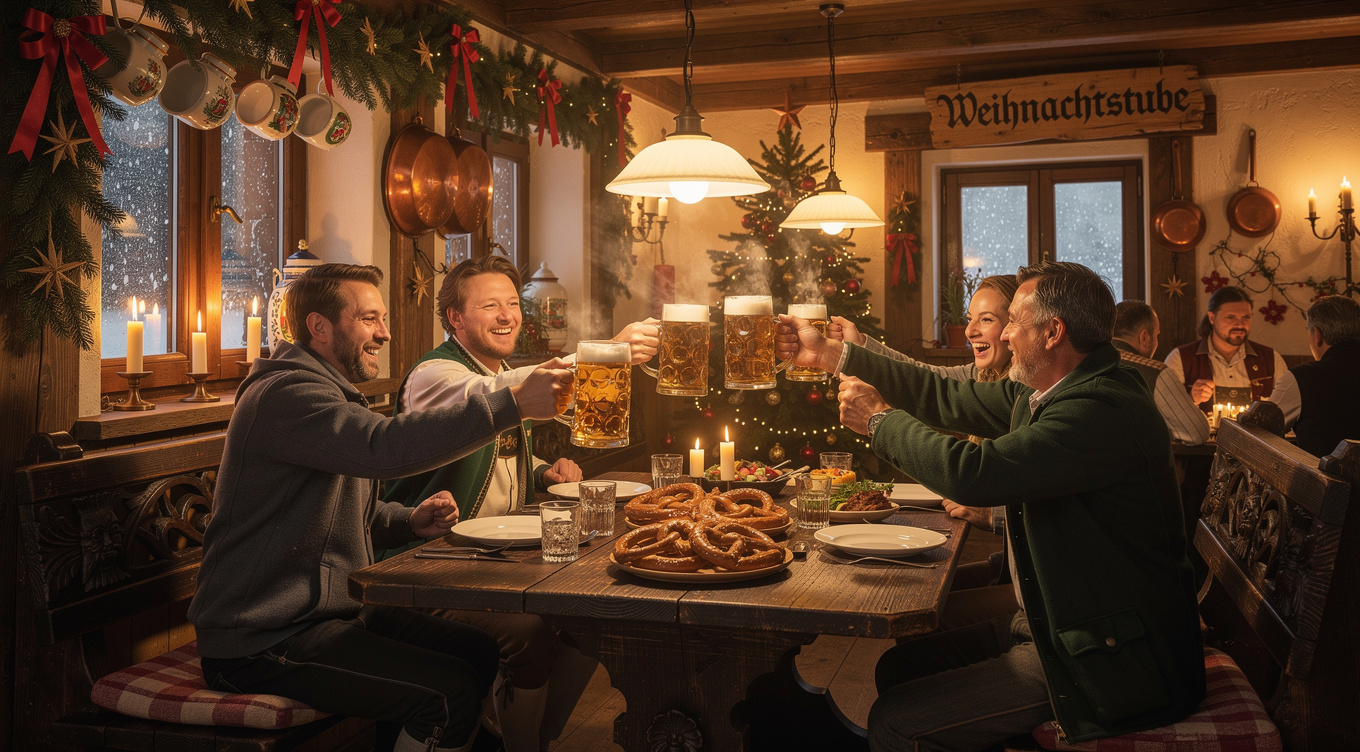
FLUX and Gemini are multilingual. You can prompt directly in German - the model understands your instructions. For culturally authentic results, it’s even recommended to use the language that fits the context:
A cozy Bavarian inn at Christmas time,
rustic wooden furniture, candlelight, guests toasting with beer steins,
warm atmosphere, traditional decorations
Text in Images#
Put Text in Quotation Marks#
You can include readable text in images. This works with both FLUX.2 and Gemini Pro. In tests, Gemini Pro tends to handle longer text better.
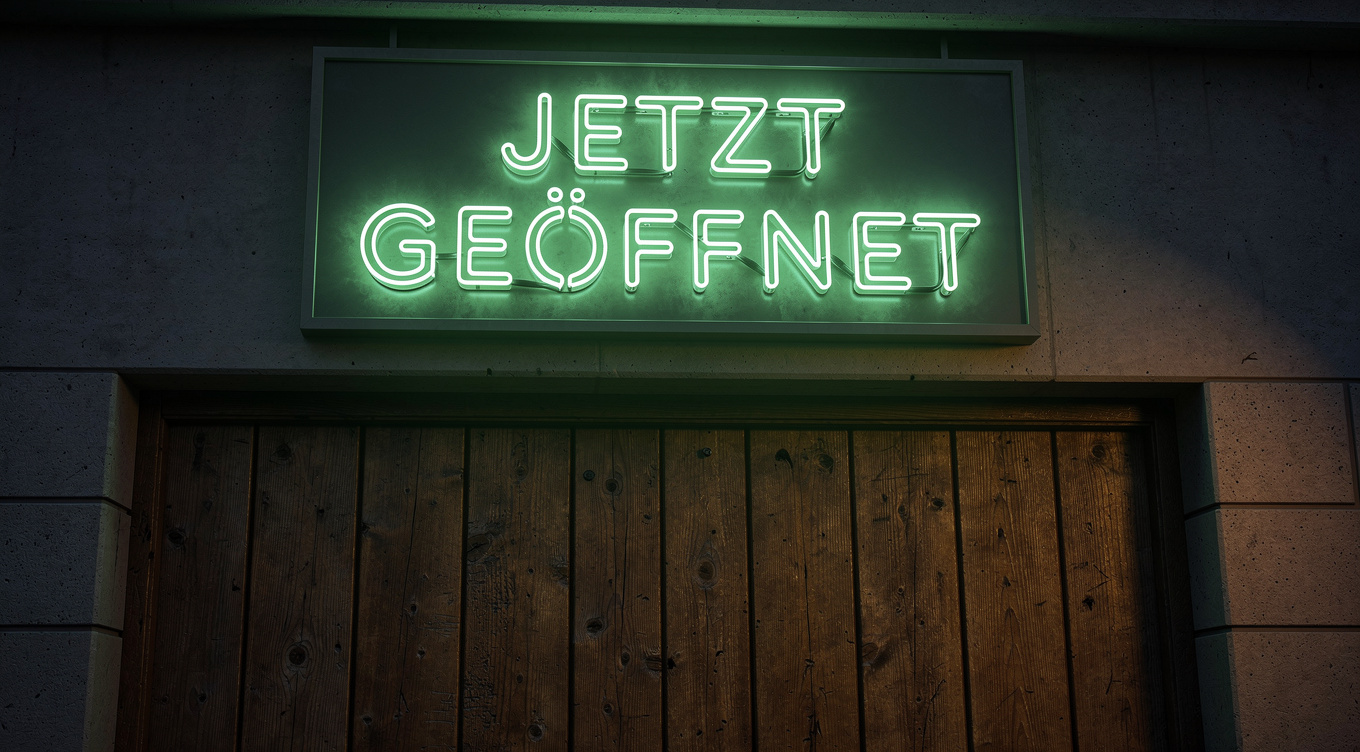
Use quotation marks to specify the exact text:
A shop sign with the text "OPEN NOW" in green
neon letters above a wooden door
Describe the Text Design#
For the best results, describe:
Placement: Where the text appears (e.g. “top center”, “on the banner”)
Style: The type of typography (e.g. “elegant serif font”, “bold industrial lettering”, “handwritten script”)
Size: Relative size (e.g. “large headline”, “small subheading”)
Color: Ideally with a HEX code (see next section)
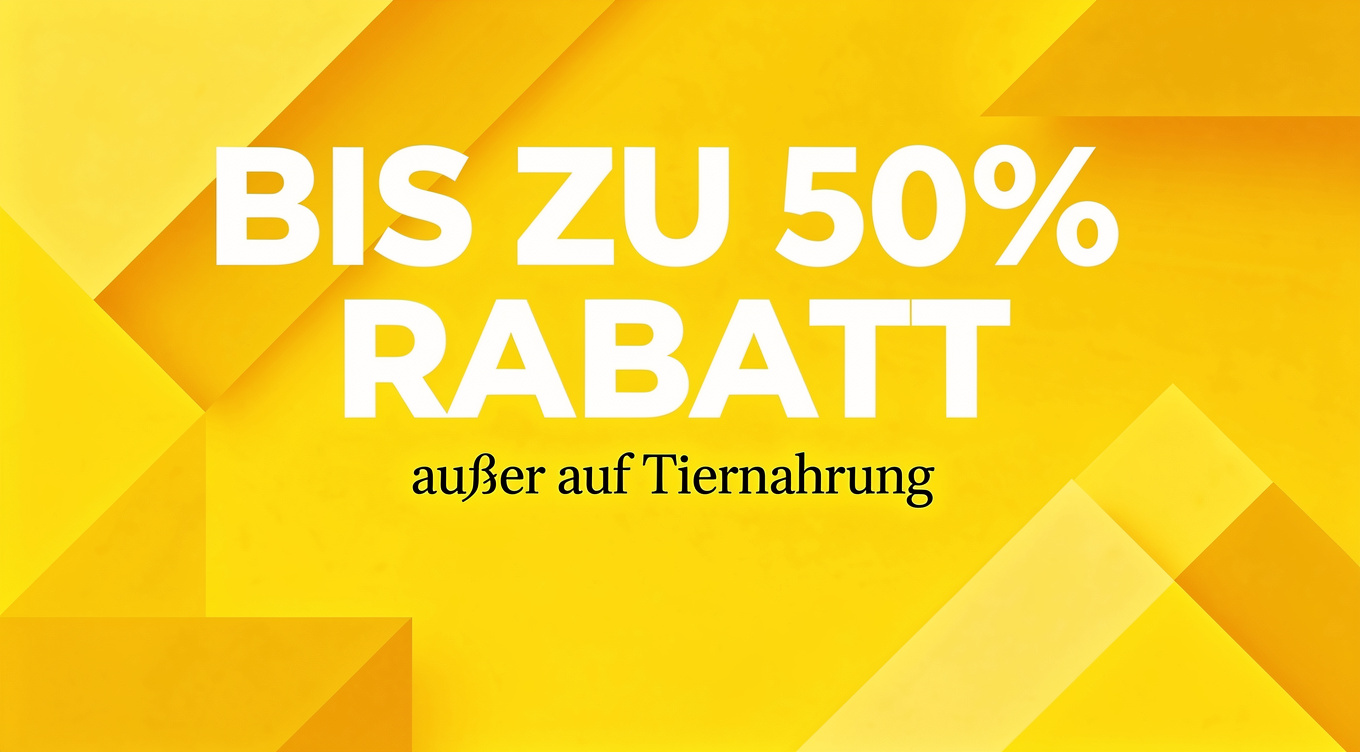
Example for an advertising poster:
Modern advertising poster for a summer clearance sale,
large headline "UP TO 50% OFF" in bold white lettering,
subheading "excluding pet food" in an elegant serif font,
bright yellow background with geometric shapes,
professional graphic design
Colors and Corporate Identity#
Using HEX Color Codes#
For precise color control - especially important for CI-compliant designs - FLUX.2 supports HEX color codes.
Syntax:
The background uses the hex color #1A5F7A
The logo appears in hex #FF6B35
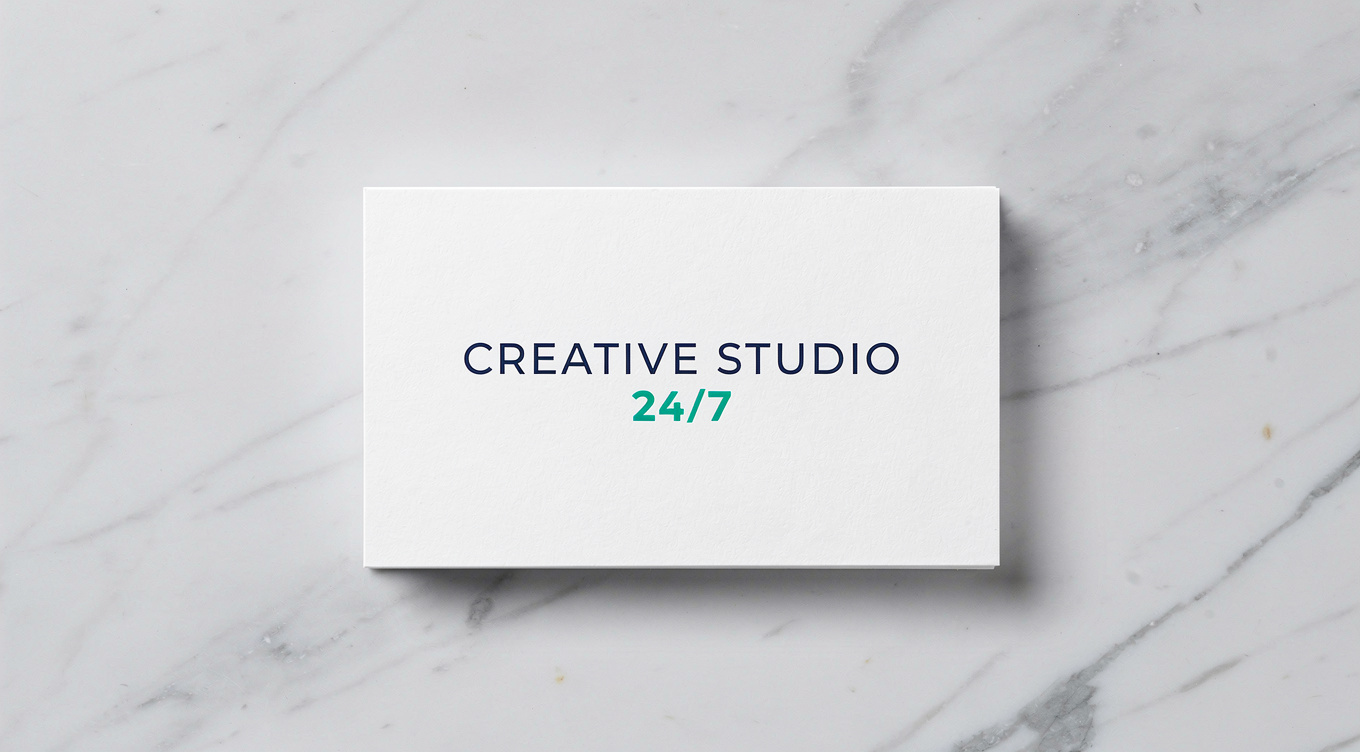
Example for brand colors:
Elegant business card on a marble-textured background,
the text "CREATIVE STUDIO" in hex color #2E4057,
below it the text "24/7" in smaller bold lettering, hex color #048A81,
minimalist design, white card stock.
Creating Gradients#
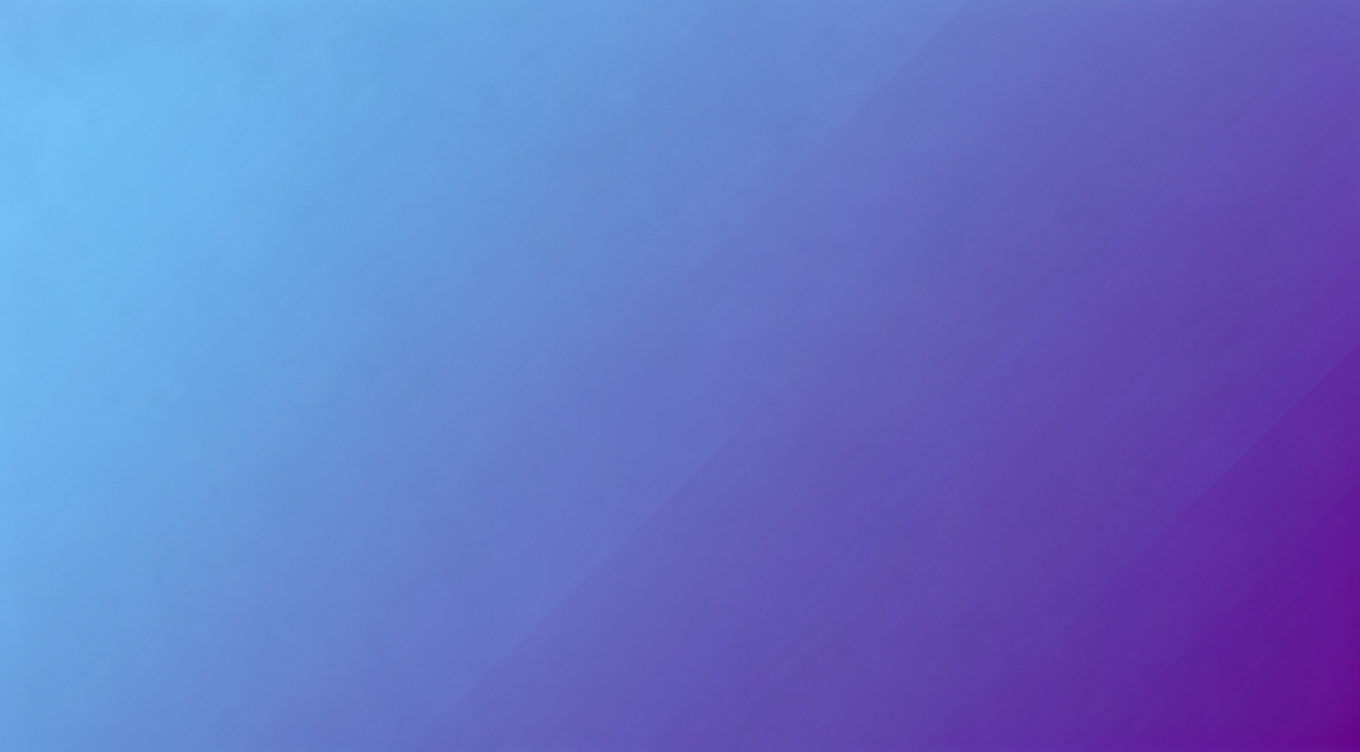
For gradients, describe the start and end color:
An abstract background image with a gradient,
starting with hex #667eea in the top left,
transitioning to hex #764ba2 in the bottom right,
smooth transitions, modern and clean
Tip
Tip for CI-compliant designs:
Always link HEX codes to specific objects. Vague instructions like “use #FF0000 somewhere” lead to inconsistent results.
Photography Style and Camera Settings#
For photorealistic images, specific camera references deliver the best results. Here you’ll find the most important terms for your media work.
Camera Models and Lenses#
Term |
Effect |
|---|---|
Shot on Sony A7IV |
Modern, sharp digital aesthetic |
Canon 5D Mark IV |
Professional DSLR quality |
Hasselblad X2D, 80mm |
Medium-format look, premium quality |
Fujifilm X-T5, 35mm |
Organic colors, authentic |
Shot on Kodak Portra |
Analog film aesthetic, natural grain |
2000s digicam style |
Early digital camera aesthetic, slight noise |
80s vintage photo |
Film grain, warm color cast, retro |
Image Composition#
Term |
Effect |
|---|---|
Rule of thirds |
Subject placed along third lines, dynamic |
Golden ratio composition |
Golden ratio, harmonious image layout |
Centered composition |
Subject centered, symmetrical, calm |
Symmetrical composition |
Mirrored arrangement, balanced |
Shallow depth of field |
Shallow focus, blurred background |
Deep depth of field |
Large depth of field, everything sharp |
Leading lines |
Lines lead to the main subject, adds depth |
Frame within a frame |
Natural frame around the subject, draws focus |
Negative space |
Lots of empty space, subject appears isolated |
Low angle shot |
Low perspective, subject appears powerful |
High angle shot |
High perspective, subject appears small |
Eye level shot |
Eye level, neutral and natural |
Dutch angle |
Tilted camera, dynamic, uneasy |
Bokeh effect |
Circular blur in the background |
Foreground interest |
Interesting foreground element, adds depth |
Layered composition |
Multiple layers, spatial depth |
Example - Modern Look:
Portrait of a young entrepreneur, shot on Sony A7IV,
85mm lens, f/1.8, natural window light,
shallow depth of field, clean and sharp

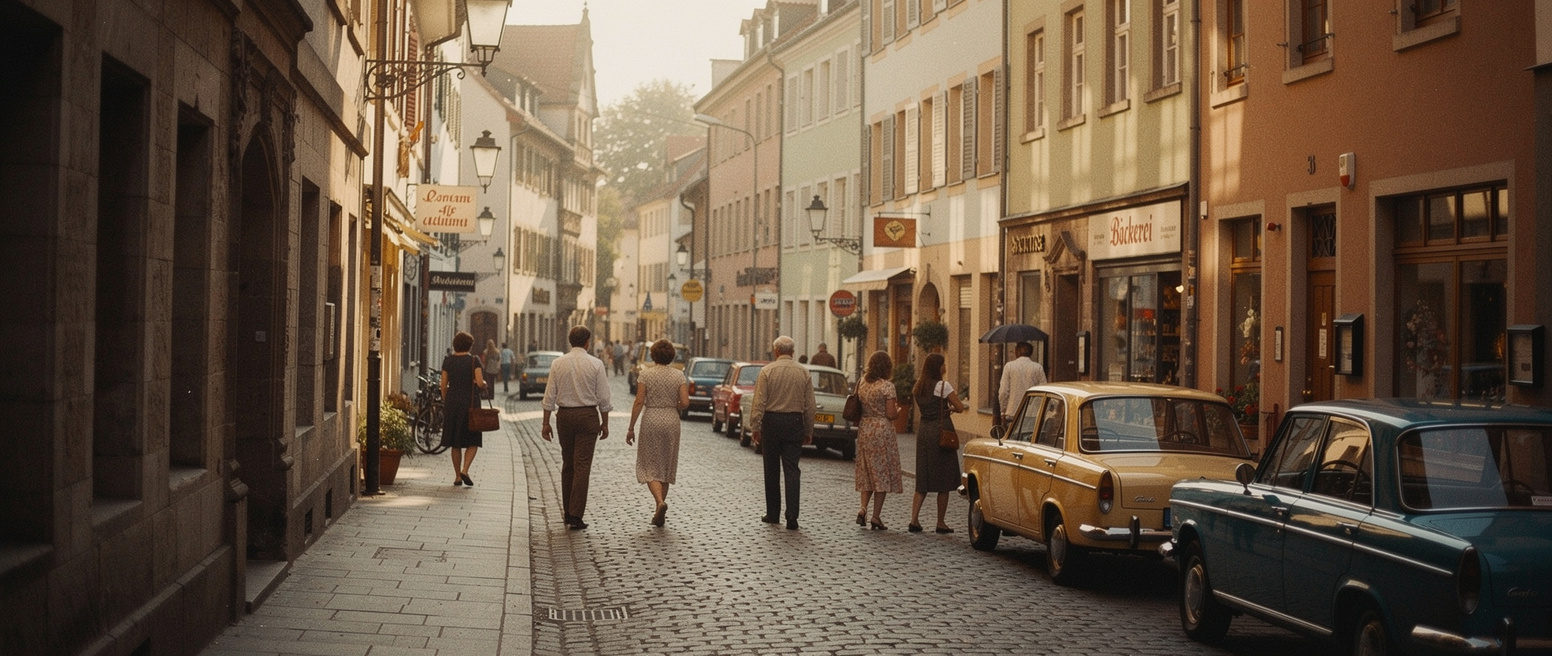
Example - Vintage Look:
Street scene in a historic old town, shot on Kodak Portra 400,
natural film grain, warm colors, 35mm focal length,
1970s aesthetic
Focal Lengths and Their Effect#
Focal length |
Effect and use case |
|---|---|
24mm |
Wide angle, for interiors, architecture, landscapes |
35mm |
Environmental portraits, more context, natural perspective |
50mm |
Similar to the human eye, versatile, for full-body shots |
85mm |
Ideal for portraits, flattering, beautiful bokeh |
100mm macro |
Product details, close-ups |
70-200mm |
Compression, isolates the subject from the background |
Camera Angles#
Angle |
Effect |
|---|---|
eye level |
Neutral, at eye level, authentic |
high angle |
From above, makes the subject look smaller/more vulnerable |
low angle |
From below, makes the subject look powerful/heroic |
overhead shot |
Directly from above (e.g. for flat lays) |
dutch angle |
Tilted, creates dynamism or tension |
aerial view |
Drone shot, shows large areas |
over the shoulder |
Over the shoulder, for dialogue scenes |
Shot Sizes#
Shot type |
Description |
|---|---|
extreme wide shot |
Very wide shot, shows the entire environment |
wide shot / long shot |
Full body with surroundings |
medium shot |
Waist to head, body language visible |
close-up |
Face/head, shows emotion |
extreme close-up |
Only a detail (eye, hand, product) |
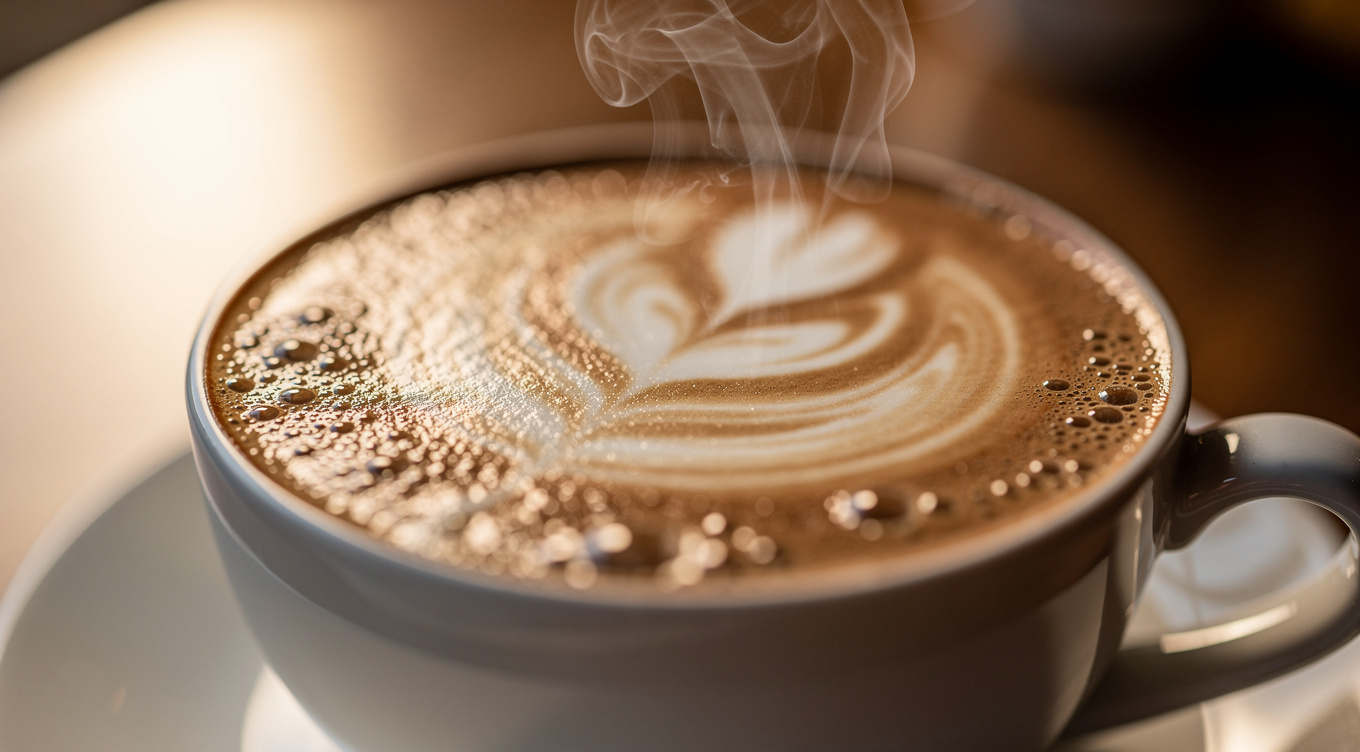
Example - Different Shot Sizes:
Extreme close-up of a cup of coffee with latte art,
steam rising, 100mm macro lens,
shallow depth of field, warm side light
Lighting#
Lighting |
Effect |
|---|---|
natural lighting |
Natural light, authentic |
golden hour |
Warm, soft light shortly before sunset |
soft diffused light |
Soft, even light without harsh shadows |
dramatic side light |
Side light for more depth and drama |
studio lighting |
Controlled studio light, professional |
three-point lighting |
Key, fill, and back light for balanced lighting |
Rembrandt lighting |
Classic portrait lighting with a triangle-shaped shadow |
backlight / rim light |
Backlighting, silhouettes, glowing outlines |
high key |
Bright, few shadows, friendly |
low key |
Dark, lots of shadows, dramatic |
Practical Examples for Media Work#
Here you’ll find practical prompt examples for typical tasks in editorial teams, agencies, and communications departments.
Product Images#
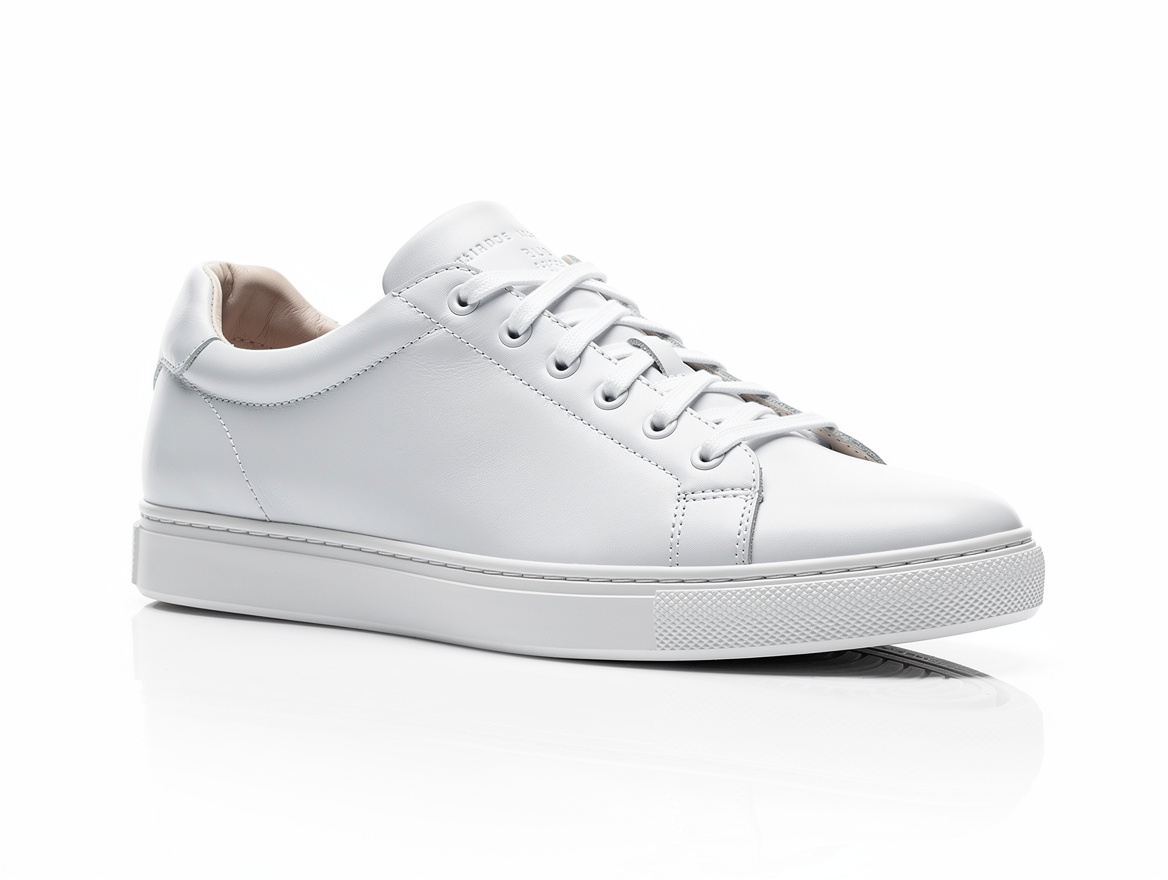
E-commerce product photo:
Professional product photo of a white sneaker on
a white background, studio lighting, three-point setup,
clean minimalist aesthetic, 45-degree angle,
sharp details, soft shadows,
shot on Hasselblad, 80mm lens
Lifestyle product photo:
Flat lay view of a desk with
a laptop, coffee cup, notebook, and houseplant,
minimalist and tidy, light wood,
natural window light from the left,
overhead shot, clean workspace aesthetic

Portraits for Articles#
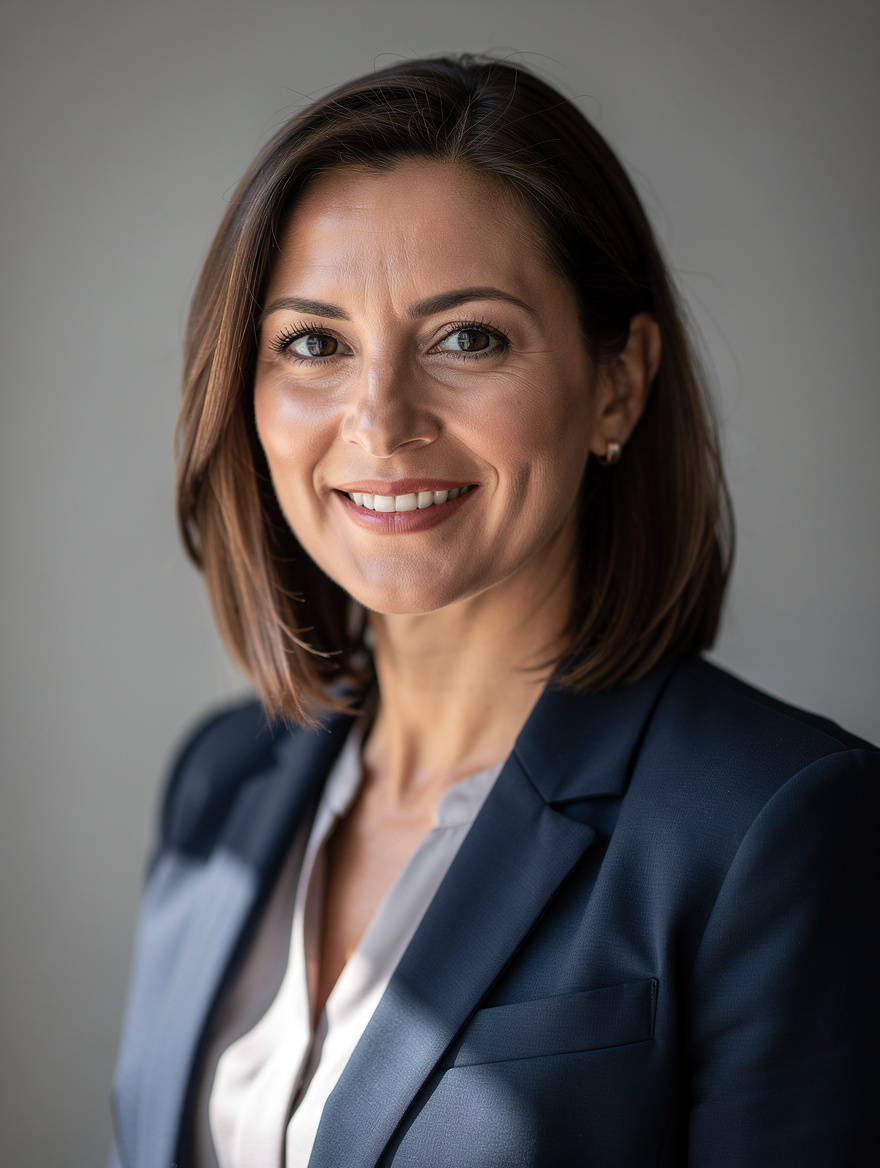
Business portrait:
Professional business portrait of a woman in her mid-40s,
smiling confidently, dark blue blazer,
shot on Canon 5D, 85mm f/1.8,
natural window light, Rembrandt lighting,
neutral gray background, medium shot
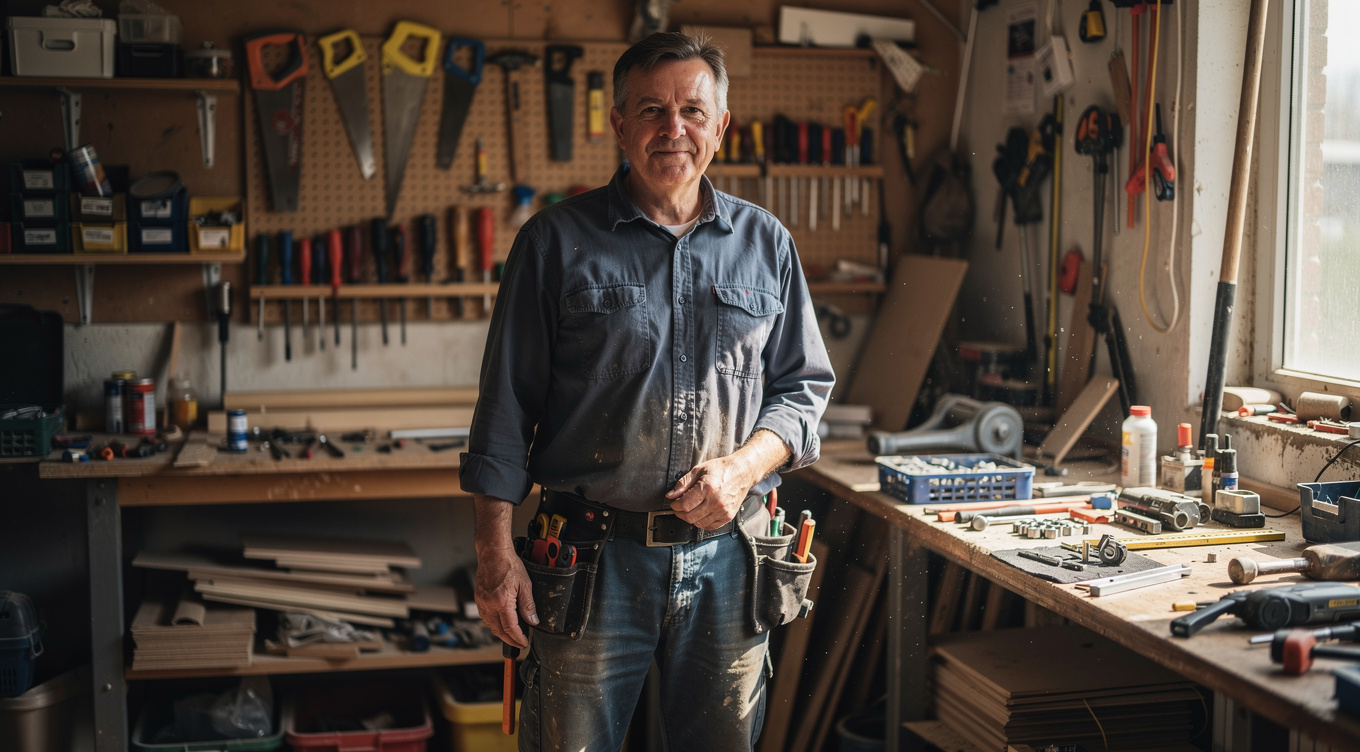
Portrait in a work environment:
Environmental portrait of a craftsperson in their workshop,
authentic and approachable, wearing work clothes,
surrounded by tools, 35mm lens,
natural light through the window,
documentary style, medium shot
Infographics#
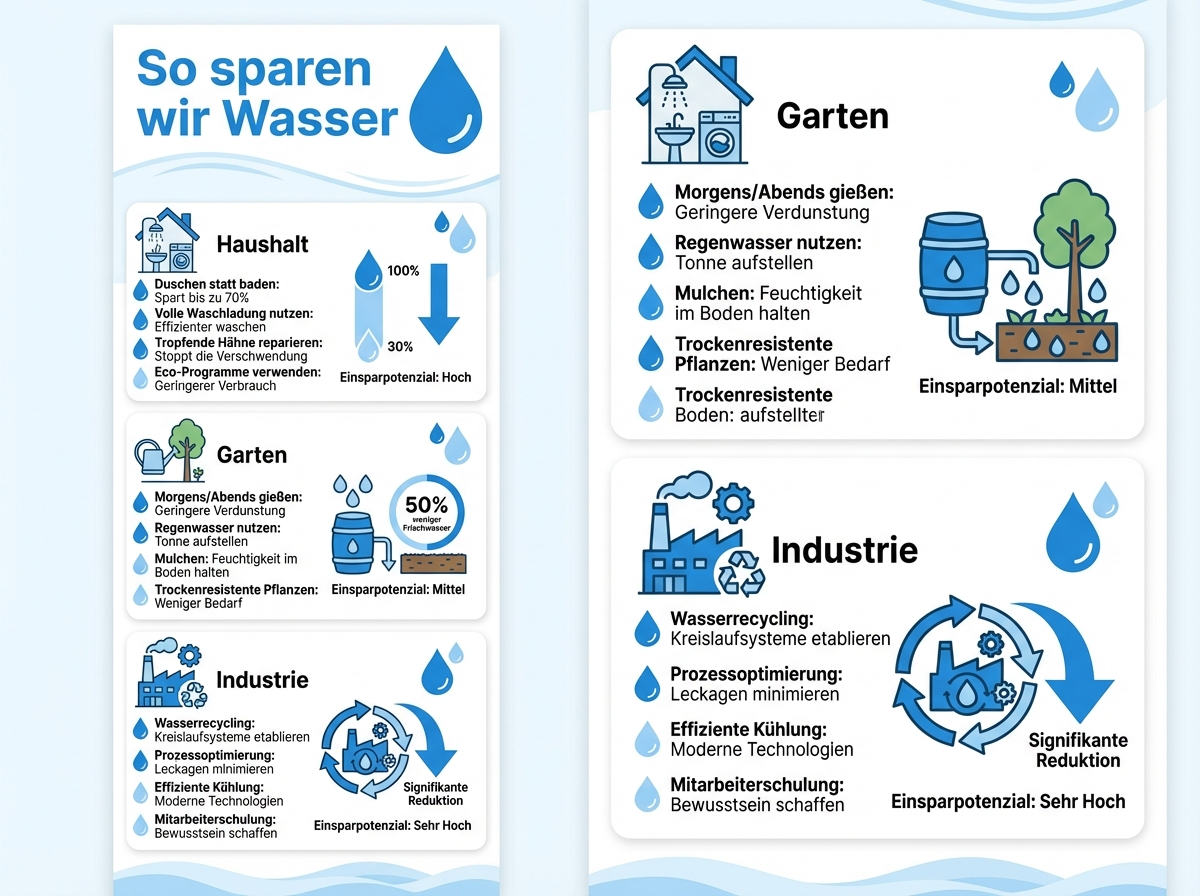
For infographics, JSON format or a very detailed description works especially well:
Vertical infographic about water consumption,
title "How We Save Water" in bold blue lettering,
3 sections with icons for household, garden, and industry,
water drop symbols, color scheme in hex #1E88E5 and hex #90CAF9,
modern minimalist design, clear typography,
white background
Advertising Materials#
Banner for display advertising:
Horizontal ad banner for an online course,
text "Get Started Now" as a large headline on the left,
happy young person with a laptop on the right,
call-to-action button "Try for Free" in hex #FF6D00,
background with a soft gradient from white to light blue,
professional marketing design

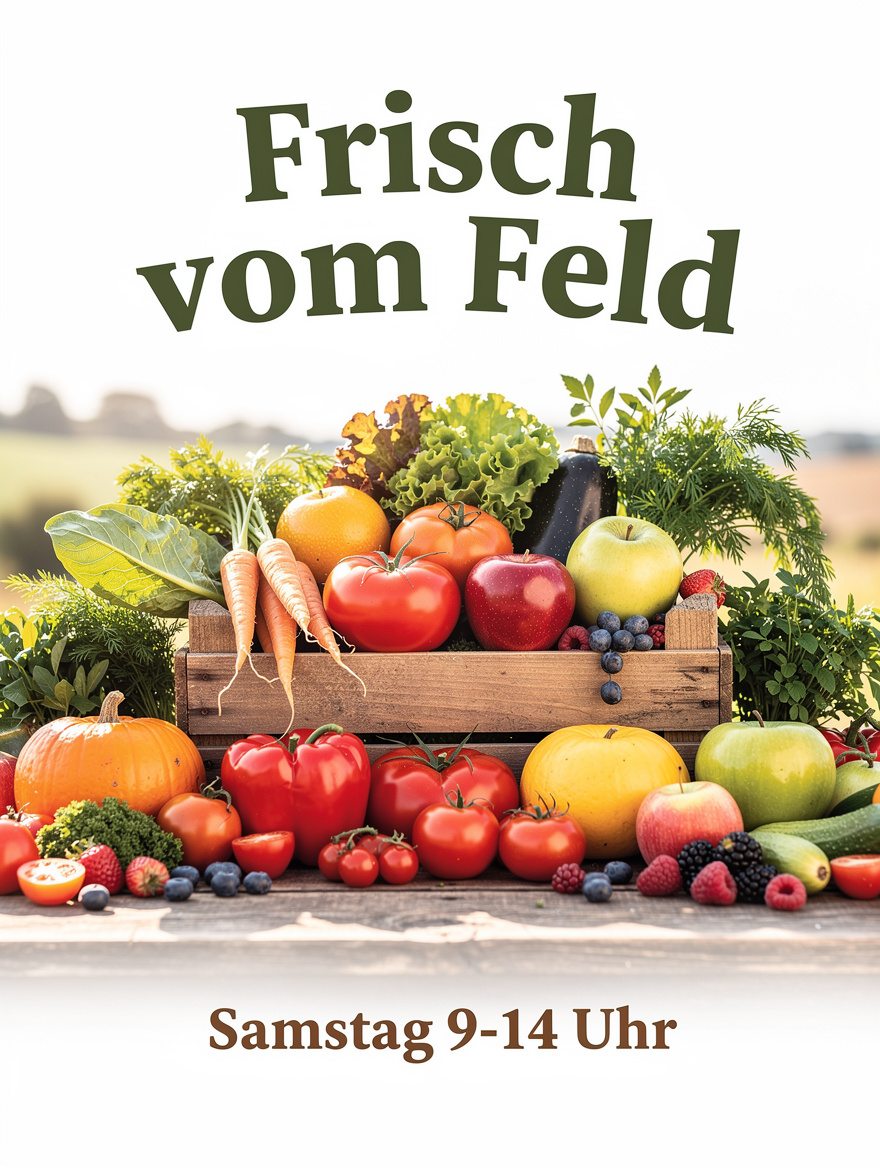
Flyer design:
DIN A5 flyer for a weekly market,
title "Fresh from the Field" in a rustic serif font at the top,
colorful arrangement of fresh fruit and vegetables,
"Saturday 9 AM-2 PM" as a subheading,
warm, inviting color palette,
countryside market aesthetic
Website Mockups#
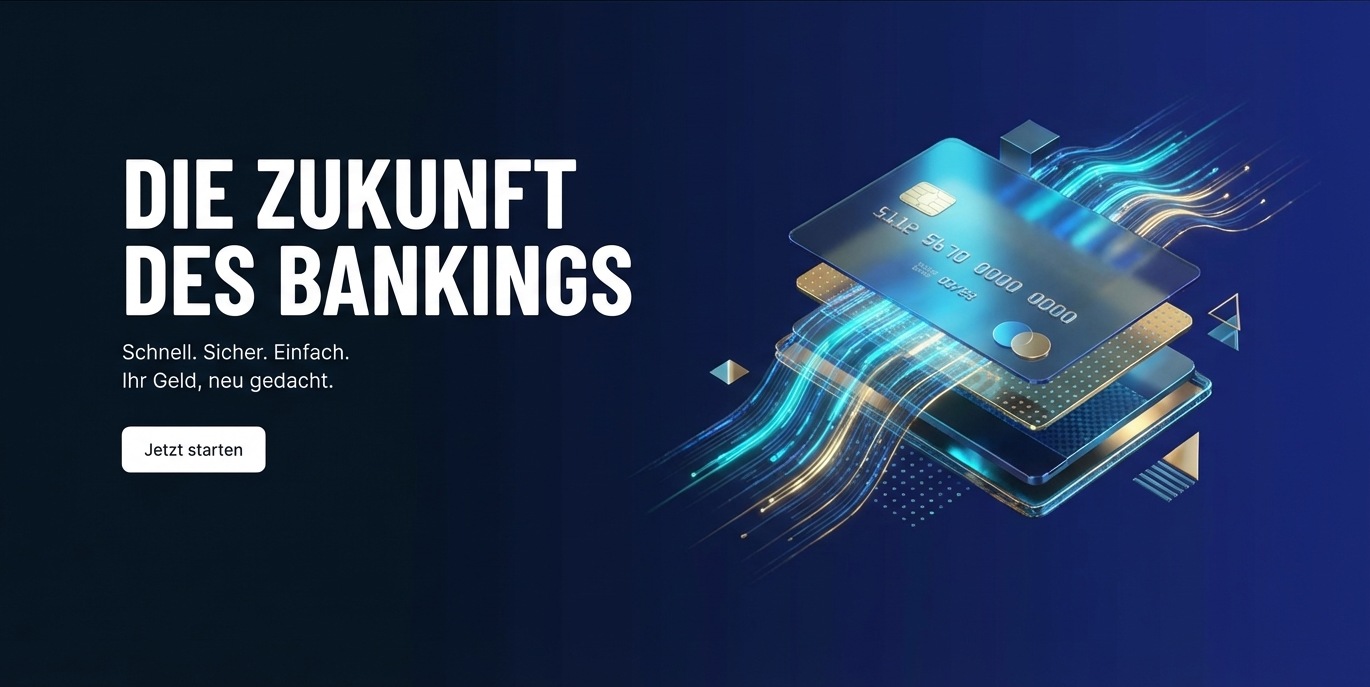
Hero section of a landing page:
Hero section of a modern landing page for a
fintech startup, large headline text "The Future of Banking"
in white on the left side,
abstract 3D illustration of a credit card on the right,
dark background with a gradient from hex #0A1628 to hex #1A237E,
minimalist UI design, plenty of white space
Memes and Humorous Visuals#
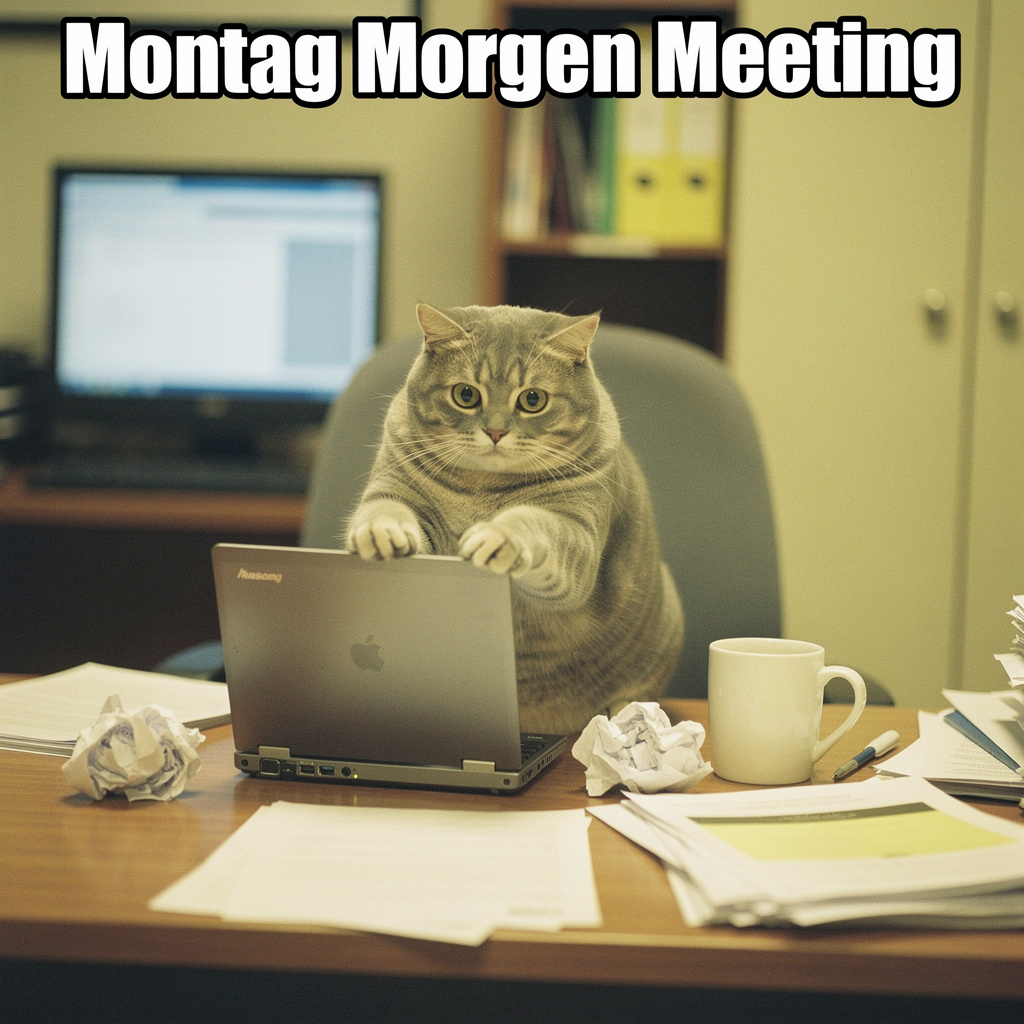
Funny meme image, cat sitting at a desk in front of a
laptop with a confused expression,
coffee cup beside it, papers scattered around,
office lighting, the text "Monday Morning Meeting"
at the top in Impact font,
2000s digicam style, slightly overexposed
People in Other Environments#
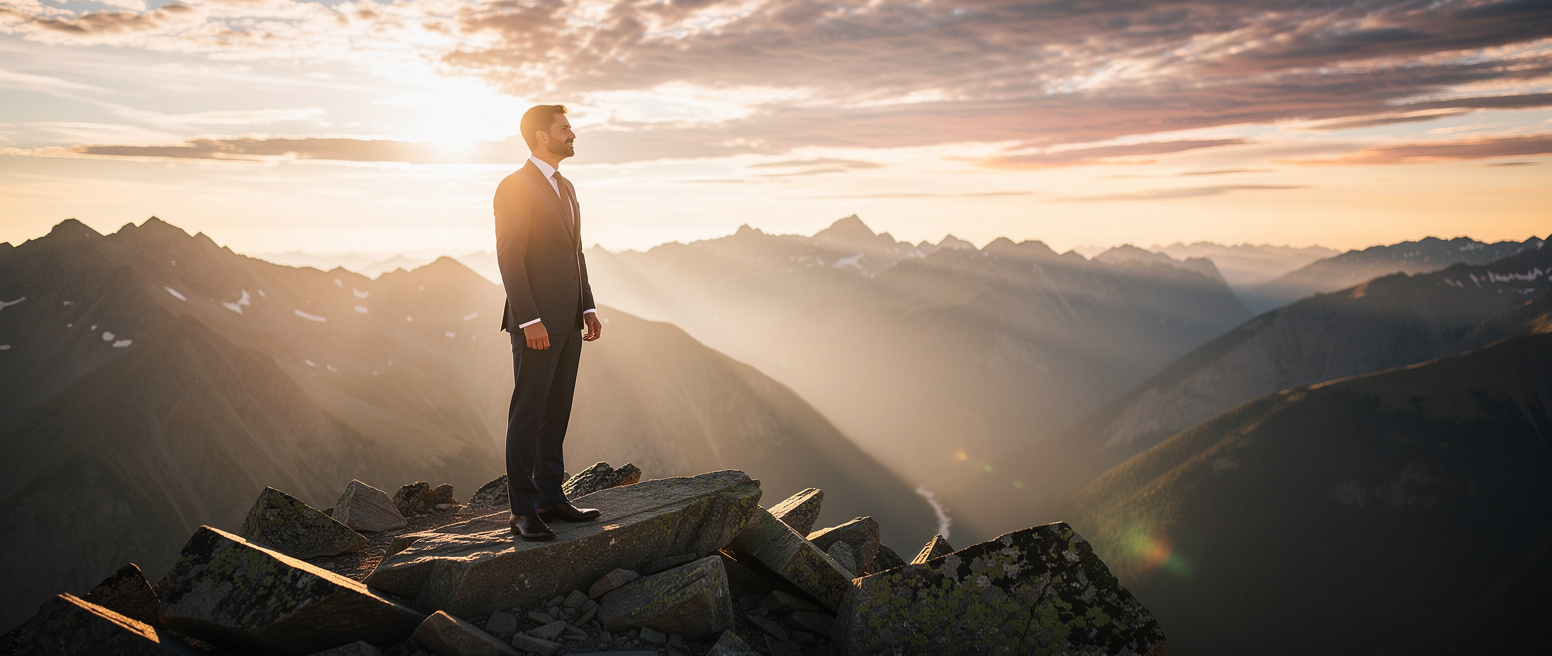
Businessman in a suit standing on a mountain peak,
looking confidently into the distance,
dramatic landscape in the background,
golden hour, warm backlight,
cinematic look, wide shot,
shot on RED camera, 35mm anamorphic lens
JSON-Structured Prompts#
For complex scenes with many elements, you can use JSON-structured prompts. This allows precise control over individual image components.
When should you use JSON?#
Production workflows with a consistent structure
Automated image generation
Complex scenes with multiple subjects
When individual elements need to be iterated independently
The Basic Schema#
{
  "scene": "Overall scene description",
  "subjects": [
    {
      "description": "Detailed subject description",
      "position": "Position in the image",
      "action": "What the subject is doing"
    }
  ],
  "style": "Artistic style",
  "color_palette": ["#HEX1", "#HEX2", "#HEX3"],
  "lighting": "Lighting description",
  "mood": "Emotional tone",
  "background": "Background details",
  "composition": "Image composition",
  "camera": {
    "angle": "Camera angle",
    "lens": "Lens type",
    "depth_of_field": "Depth of field"
  }
}
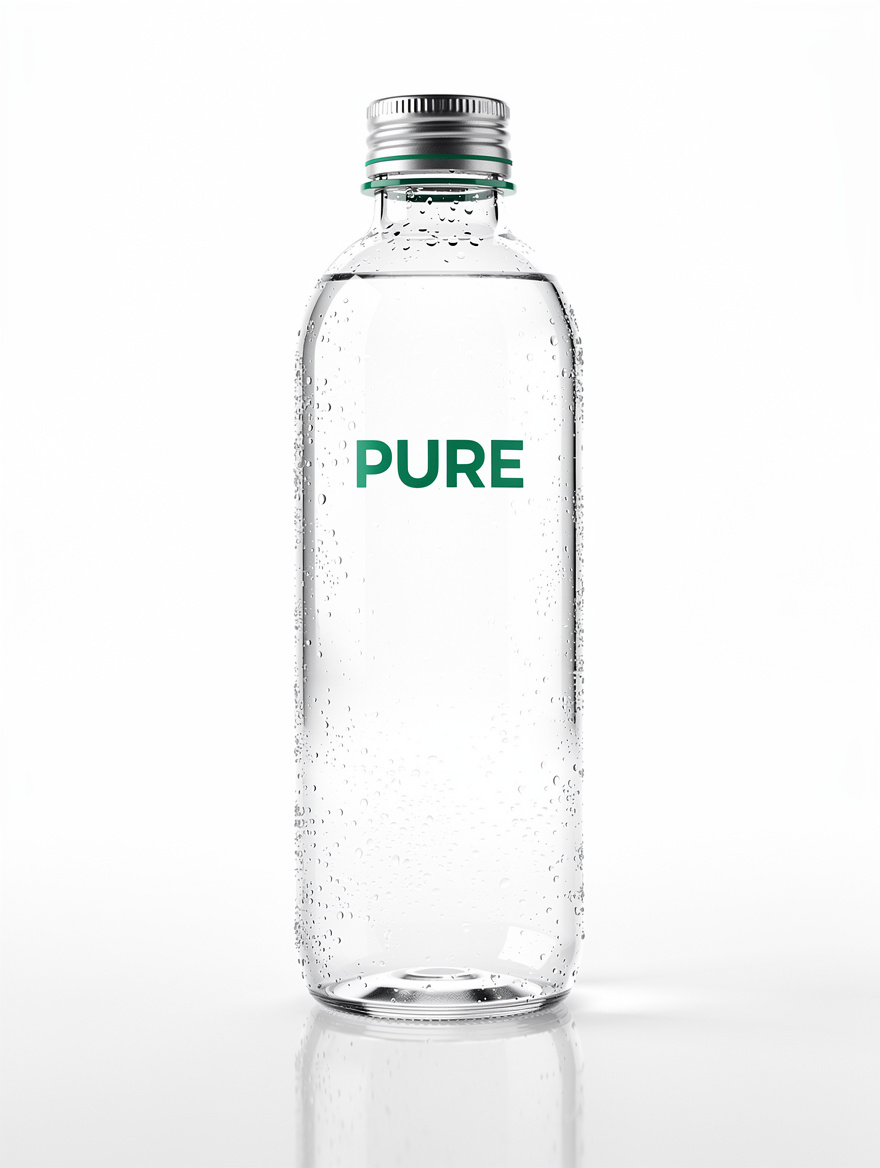
Practical Example - Product Photo with CI Colors#
{
  "scene": "Professional studio photo of a water bottle",
  "subjects": [
    {
      "description": "Modern glass bottle filled with water",
      "position": "Center of the image",
      "color_palette": ["transparent", "#00A86B"]
    },
    {
      "description": "Brand logo 'PURE' on the bottle",
      "position": "Centered on the bottle",
      "color_match": "exact",
      "color": "#00A86B"
    }
  ],
  "style": "High-end product photography",
  "color_palette": ["#00A86B", "#FFFFFF", "#F5F5F5"],
  "lighting": "Soft studio lighting with highlights on the glass",
  "mood": "Fresh, clean, premium",
  "background": "Seamless white studio background",
  "composition": "Centered, product fills 60% of the image",
  "camera": {
    "angle": "Slightly from below",
    "lens": "100mm macro",
    "depth_of_field": "Sharp throughout"
  }
}
Aspect Ratios#
Choose the right format depending on the intended use:
Aspect ratio |
Example dimensions |
Use case |
|---|---|---|
1:1 |
1024×1024 |
Instagram posts, product images |
16:9 |
1920×1080 |
YouTube thumbnails, website banners |
9:16 |
1080×1920 |
Instagram Stories, TikTok, Reels |
4:3 |
1536×1152 |
Magazine layouts, presentations |
21:9 |
2048×864 |
Panoramas, cinematic scenes |
Note
Resolution limits:
Minimum: 64×64 pixels
Maximum: 4 megapixels (e.g. 2048×2048)
Dimensions must be divisible by 16
Recommended: up to 2 megapixels for most applications
Best Practices - Summary#
Topic |
Recommendation |
|---|---|
Structure |
Subject + Action + Style + Context |
Word order |
Most important first |
Prompt length |
30-80 words for most projects |
Negative prompts |
Don’t use them! Describe what you want |
Text in Images |
Put it in quotation marks |
Brand colors |
Link HEX codes to specific objects |
Photorealism |
Specify camera, lens, and settings |
Language |
Prompting in German works extremely well |
Complex scenes |
JSON structure for precise control |
Quick Reference - Prompt Building Blocks#
Camera Styles#
shot on Sony A7IV, clean sharp, high dynamic range
shot on Canon 5D Mark IV, 85mm f/1.4
shot on Hasselblad X2D, 80mm lens, f/2.8
shot on Kodak Portra 400, natural grain
2000s digicam style, slight noise, flash photography
80s vintage photo, film grain, warm color cast
Lighting Phrases#
natural window light
soft diffused studio lighting
golden hour, warm backlight
dramatic side lighting
three-point studio setup
Rembrandt lighting
high key, bright and airy
low key, moody and dramatic
Composition Terms#
close-up shot
medium shot
wide shot / establishing shot
overhead shot / flat lay
eye level
low angle shot
high angle shot
shallow depth of field
rule of thirds composition
Style Descriptions#
professional product photography
editorial portrait style
modern minimalist design
documentary photography style
commercial advertising look
lifestyle photography
high-end fashion editorial
corporate business aesthetic
Further Reading#
The following links to Black Forest Labs and Google provide additional information on prompting for AI image generators. The information provided there served as the basis for this guide.
Black Forest Labs:
Google:
Social Media Visuals#
Instagram post for a campaign:
LinkedIn banner: