

Radio Creator Weather#
Create weather reports for your radio shows, websites, and apps with AI support. Forecasts for a federal state, a region, or a specific location are generated automatically and can be output in various formats.
Forecasts for Federal States#
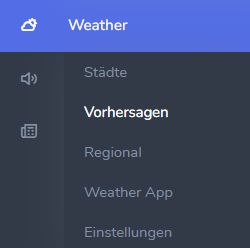
In the Weather menu, click Forecasts.
This opens the forecasts for individual federal states. The source for the reports is the German Weather Service (DWD). The DWD forecast text is automatically summarized in various formats, for example for on-air presentation or a social media post.
Use the tabs at the top of the screen to select a federal state. Click the pencil icon to edit the automatically generated texts.
The plus sign in the top right opens a new window where you can create a new forecast.
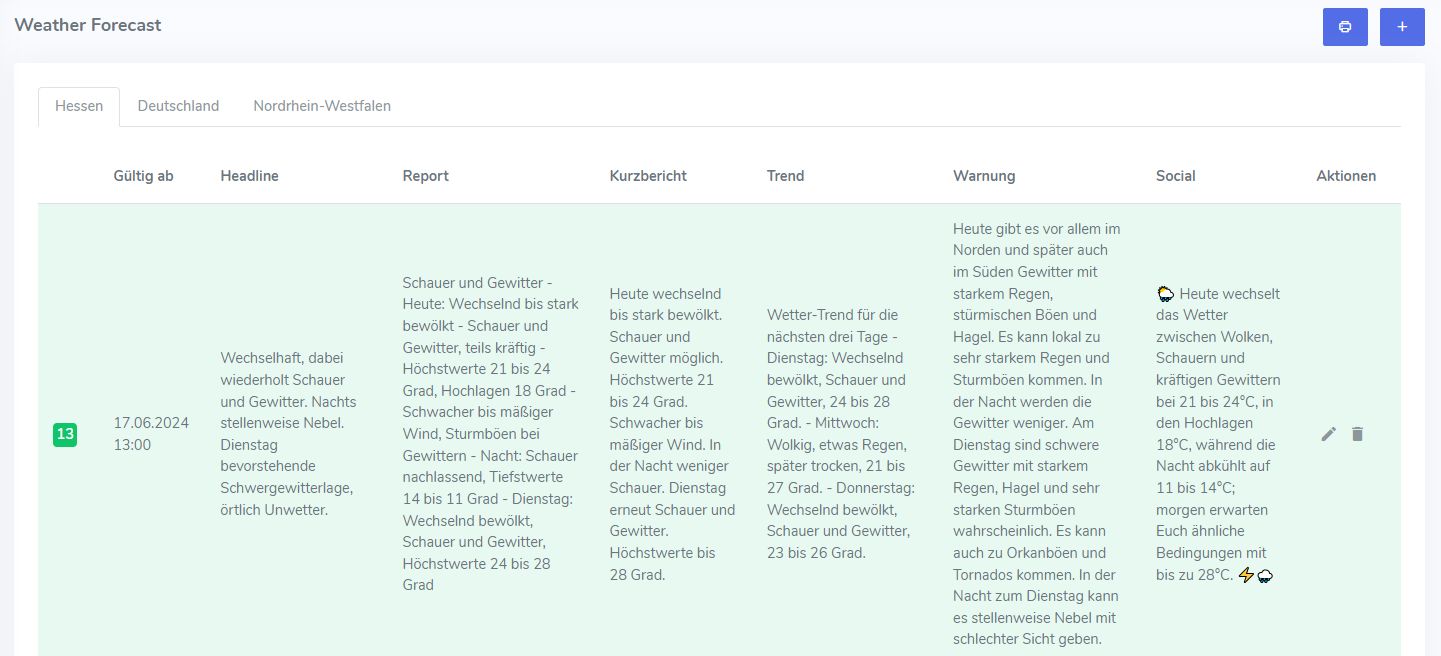
The blue icon with the printer symbol opens the reader view for presenters in the studio. The individual texts are displayed here in a clear layout.
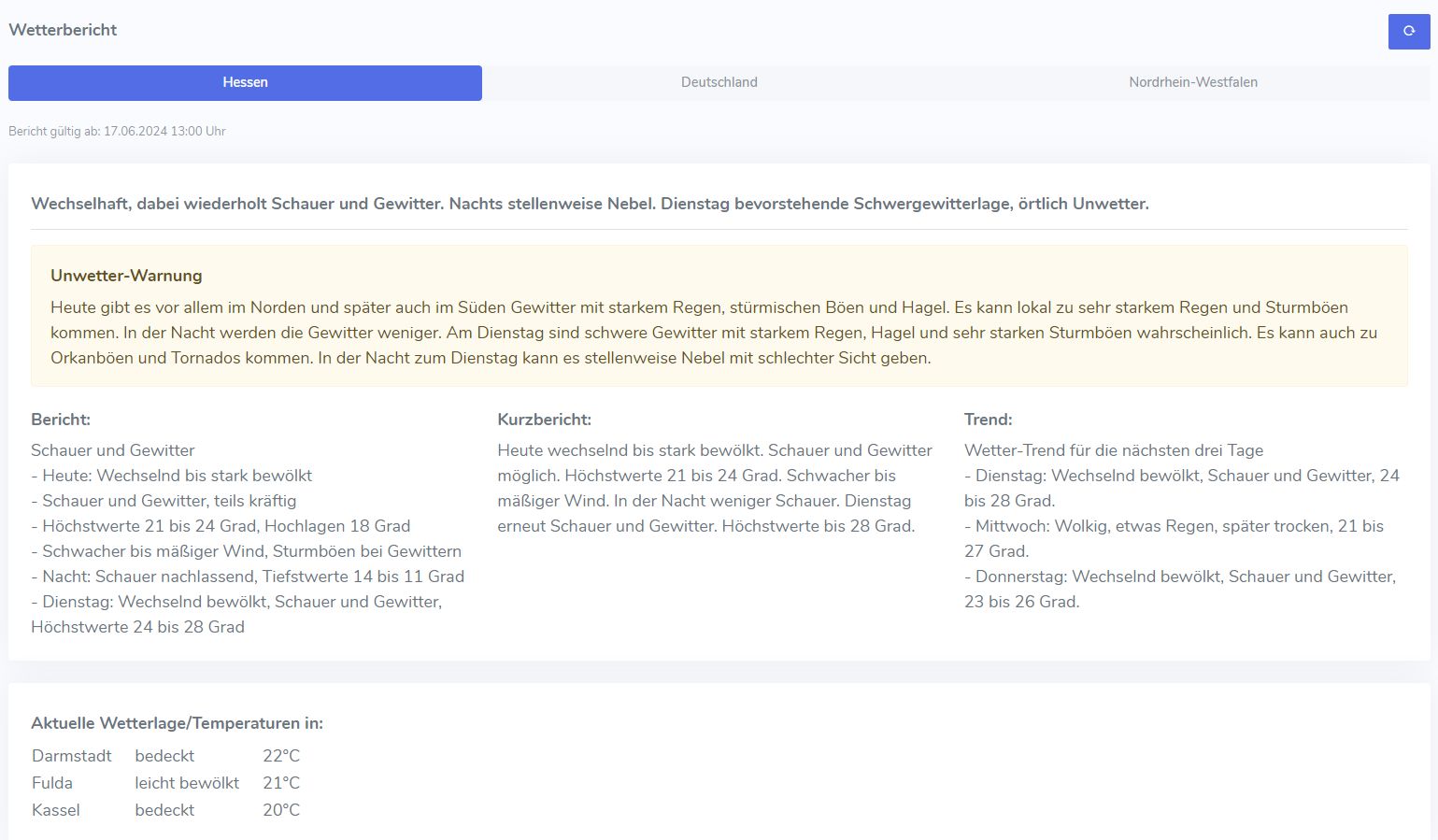
Presenters can use the tabs at the top of the screen to switch between the different federal states. If there is a severe weather warning, the warning box is displayed automatically. At the bottom of the screen, the current weather conditions for various locations in the federal state are shown. Each time the page is reloaded, the weather data is updated and different locations are displayed.
Federal State Settings#
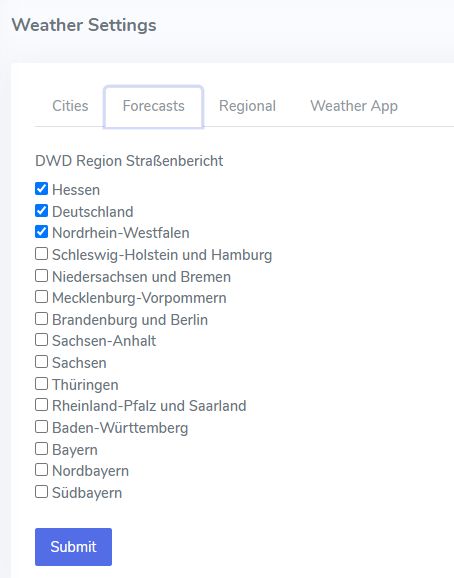
In the Weather menu, you can use Settings to define which federal states should be displayed in the forecast.
Forecasts for Regions#
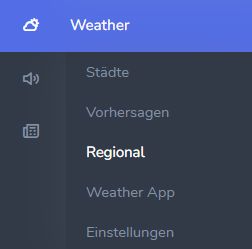
You can access regional weather forecasts from the Weather menu under Regional.
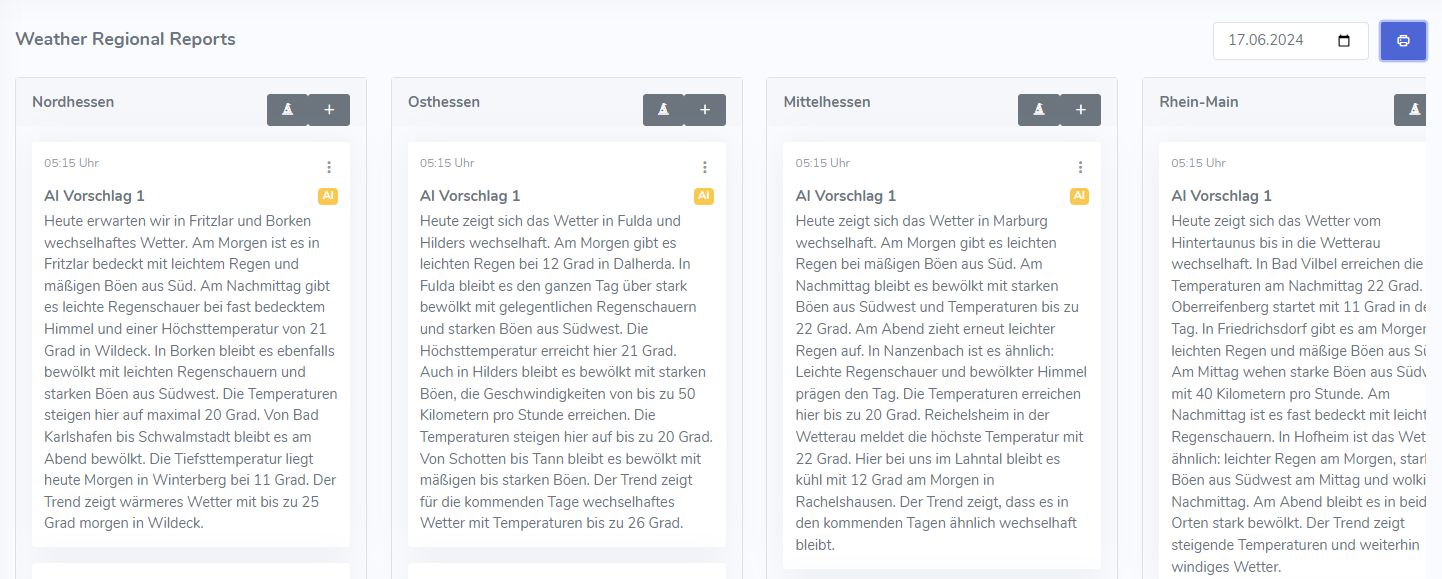
The individual regions are displayed side by side.
Use the three-dot icon to edit the forecast for a region.
Use the “+” button to write a new forecast for a region.
Or click the magic hat and let the AI write a text for you.
The blue icon with the printer symbol opens the reader view again.
Use the date selector to display the forecast for a different day.
Region Settings#
In the Weather menu, use Settings to define the individual regions for which weather reports should be generated.
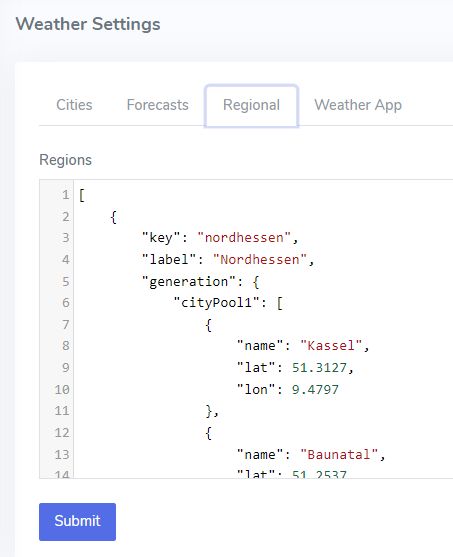
Each region is first divided into separate pools of locations. This allows you to define different weather zones within a region, such as mountains, coast, or lowlands. For each pool, you can then specify the locations to be used for the forecast. The fields “name”, “lat”, and “lon” are required for each location.
Finally, add a list of descriptions representing the region, such as “here in North Hesse” or “from Lake Eder to Hoher Meißner”. The AI generator uses some of these descriptions at random in the forecast text.
JSON Example for a Region#
The settings for the regions are defined in JSON format.
{
    "key": "nordhessen",
    "label": "Nordhessen",
    "generation": {
        "cityPool1": [
            {
                "name": "Kassel",
                "lat": 51.3127,
                "lon": 9.4797
            },
            {
                "name": "Baunatal",
                "lat": 51.2537,
                "lon": 9.4146
            },
            {
                "name": "Melsungen",
                "lat": 51.1277,
                "lon": 9.5496
            },
            {
                "name": "Vellmar",
                "lat": 51.3577,
                "lon": 9.4652
            },
            {
                "name": "Hofgeismar",
                "lat": 51.4971,
                "lon": 9.386
            },
            {
                "name": "Bad Karlshafen",
                "lat": 51.6435,
                "lon": 9.4563757
            },
            {
                "name": "Wolfhagen",
                "lat": 51.3265,
                "lon": 9.1711
            },
            {
                "name": "Wildeck",
                "lat": 50.95304,
                "lon": 10.0327
            },
            {
                "name": "Fritzlar",
                "lat": 51.1331,
                "lon": 9.2743
            },
            {
                "name": "Homberg (Efze)",
                "lat": 51.0314,
                "lon": 9.4127
            }
        ],
        "cityPool2": [
            {
                "name": "Niederzwehren",
                "lat": 51.2861,
                "lon": 9.467012
            },
            {
                "name": "Altenhasungen",
                "lat": 51.3397875,
                "lon": 9.2281079
            },
            {
                "name": "Bad Wildungen",
                "lat": 51.1029,
                "lon": 9.094
            },
            {
                "name": "Willingen",
                "lat": 51.30508,
                "lon": 8.63185
            },
            {
                "name": "Winterberg",
                "lat": 51.1961,
                "lon": 8.52618
            },
            {
                "name": "Habichtswald",
                "lat": 51.3322,
                "lon": 9.3254
            },
            {
                "name": "Witzenhausen",
                "lat": 51.3331,
                "lon": 9.8434
            },
            {
                "name": "Schauenburg",
                "lat": 51.2776,
                "lon": 9.3482
            },
            {
                "name": "Volkmarsen",
                "lat": 51.423,
                "lon": 9.0971
            },
            {
                "name": "Diemelsee",
                "lat": 51.3439,
                "lon": 8.7829
            },
            {
                "name": "Borken",
                "lat": 51.8444,
                "lon": 6.8583
            },
            {
                "name": "Bad Emstal",
                "lat": 51.2558,
                "lon": 9.2493
            }
        ],
        "descriptions": [
            "here in North Hesse",
            "From Reinhardswald to the Knüll Mountains",
            "From Lake Eder to Hoher Meißner",
            "From the Rothaar Mountains to Hoher Meißner",
            "From Kellerwald to Kaufunger Wald",
            "From the Upland region to Eschwege",
            "From Korbach to Eschwege",
            "From Bad Karlshafen to Schwalmstadt"
        ]
    }
}