
Terminology#
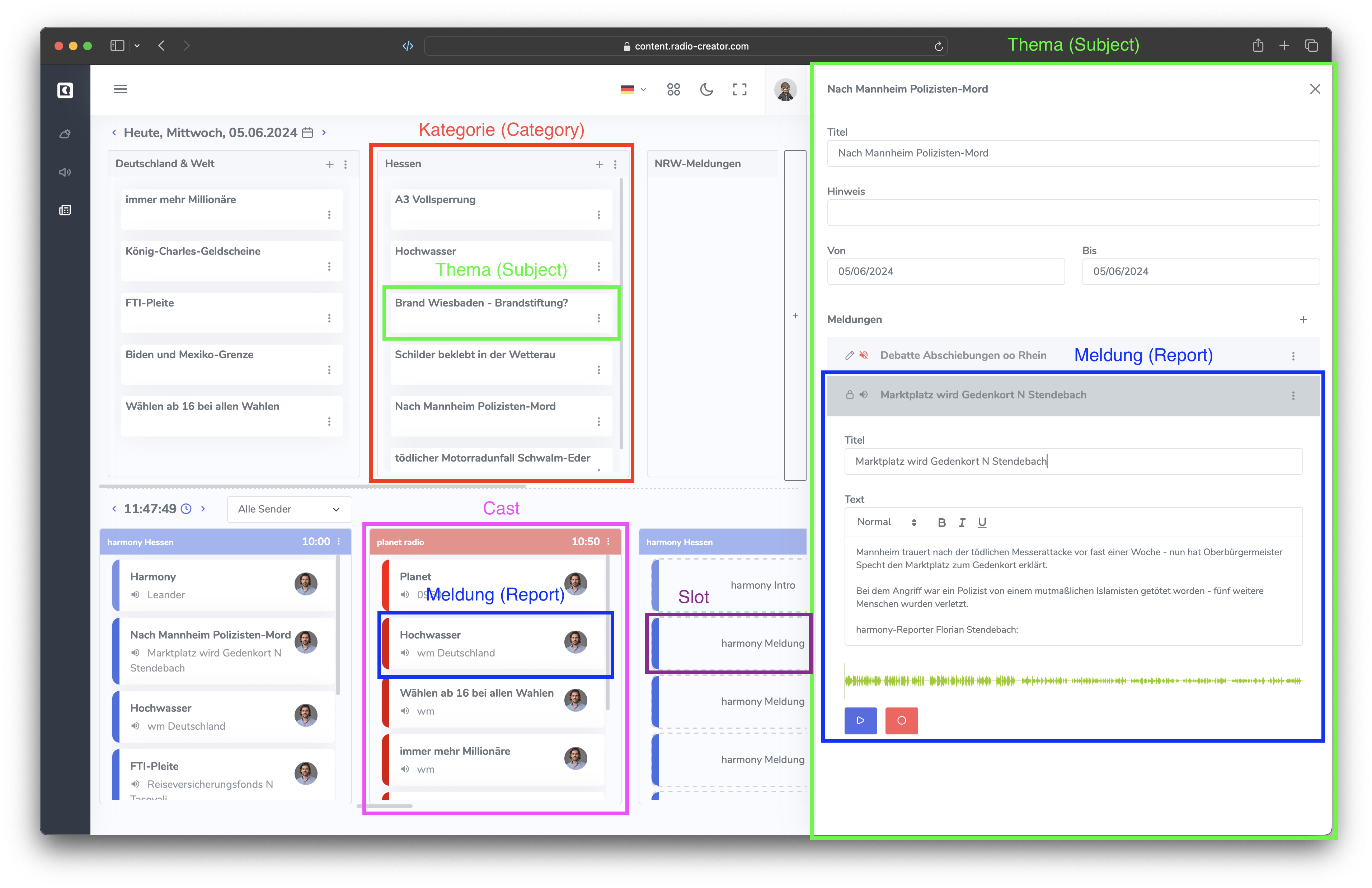
The most important workspace, where most of the work takes place, is the Overview.
Planning#
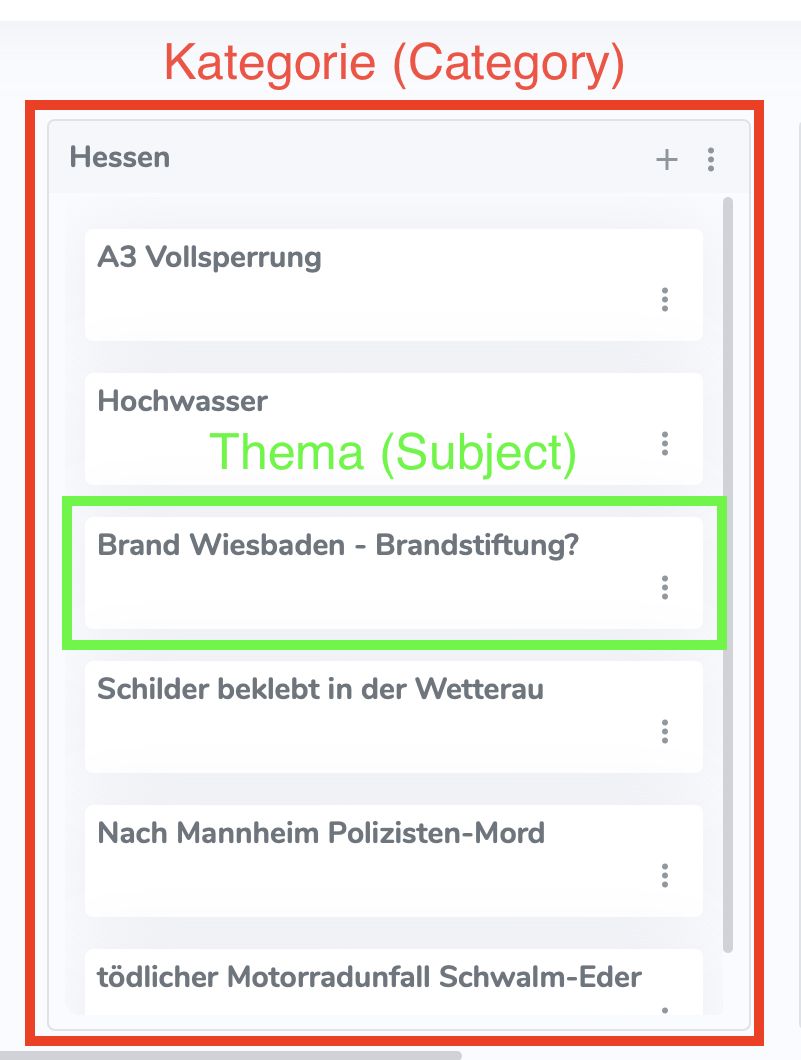
The upper half of the screen is used for topic planning. It contains several boxes, each labeled with a category such as “Germany & World” or “Hesse”…
Categories#
You can use the plus icon on the right edge of the screen to create additional categories.
Topics#
Within a category, you can add topics. Use the plus button in the category box to create a new topic.
Stories#
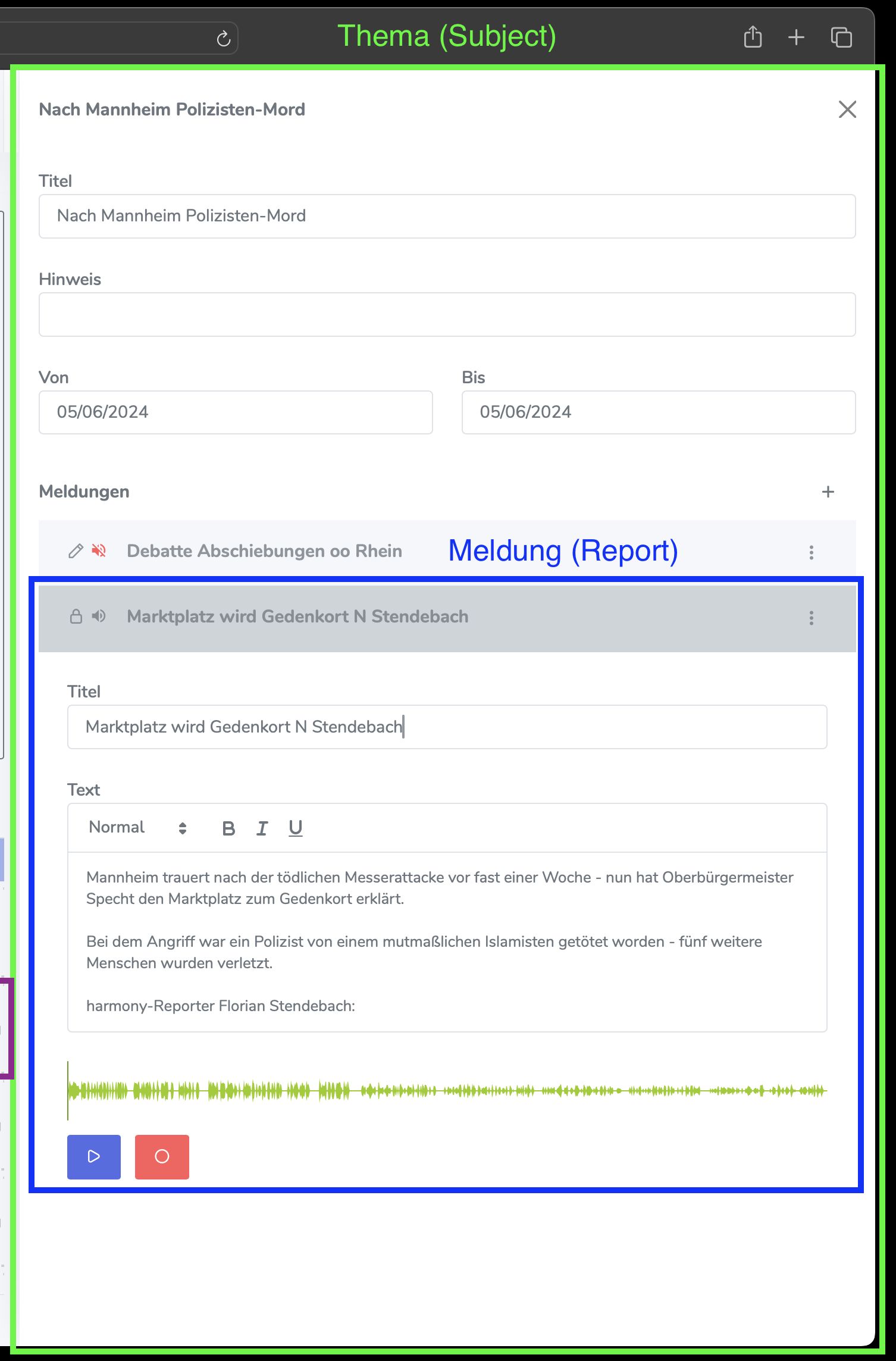
Each topic can contain one or more stories.
When you click on a topic, a detail view slides in from the right. Here, stories can be added, edited, or deleted.
News Casts#
The lower half of the screen shows the individual news bulletins, known as casts. Each one is labeled with a station name and a time.
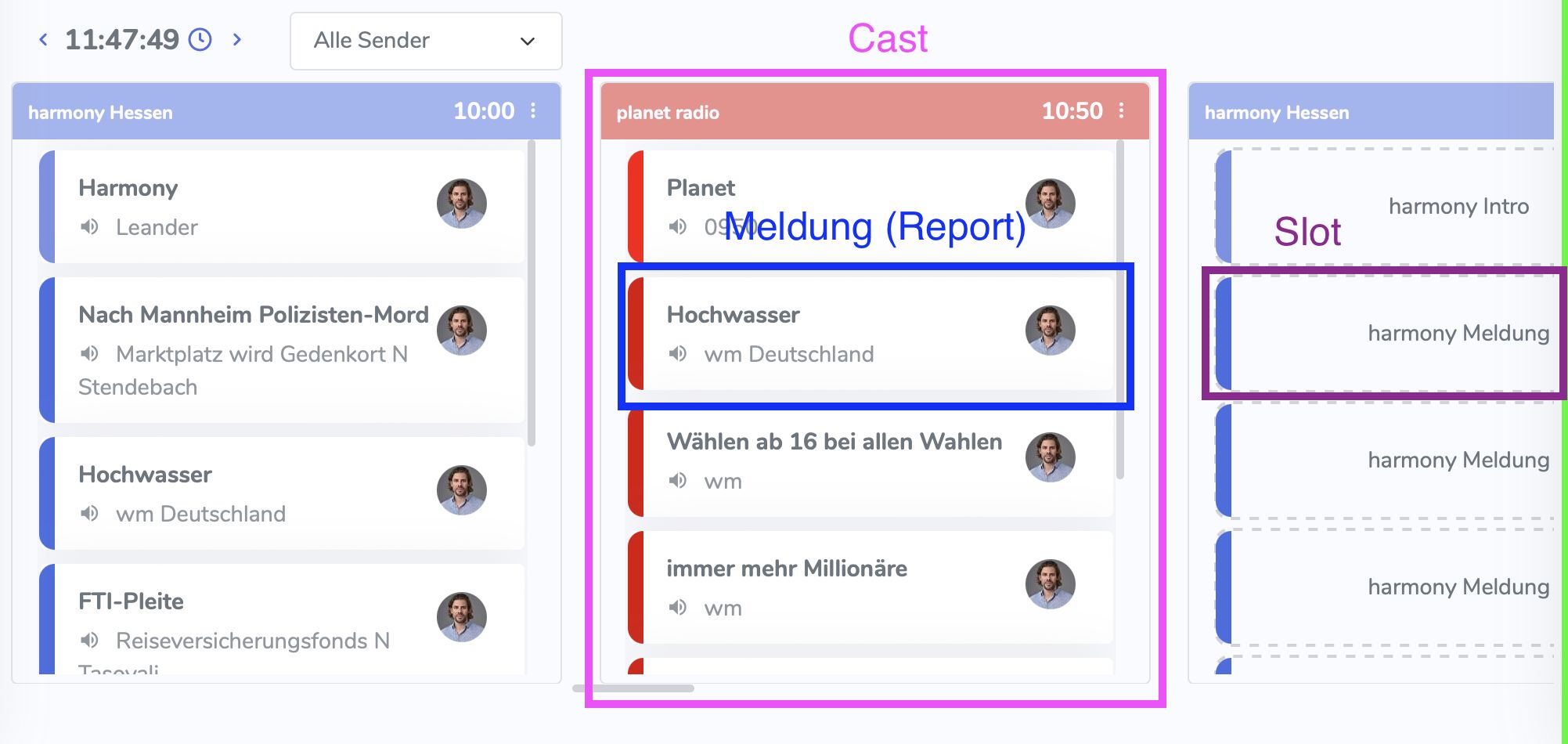
Slots#
A cast consists of several slots into which stories can be dragged and dropped.