
Zenon Signaling#
The playlist must send the start/stop events for each audio element to the Replacer. In Zenon, this is handled by the MetadataExport module. The settings can be configured quickly.
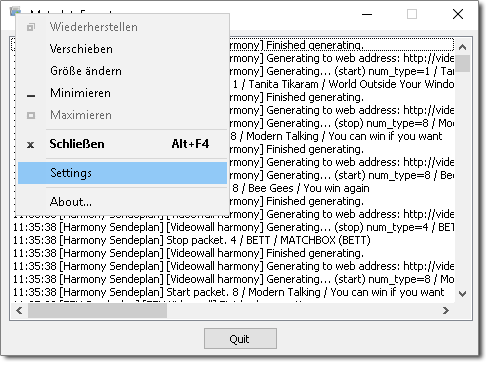
In the main window of the MetadataExport module, right-click the application icon in the top-left corner and then select Settings.
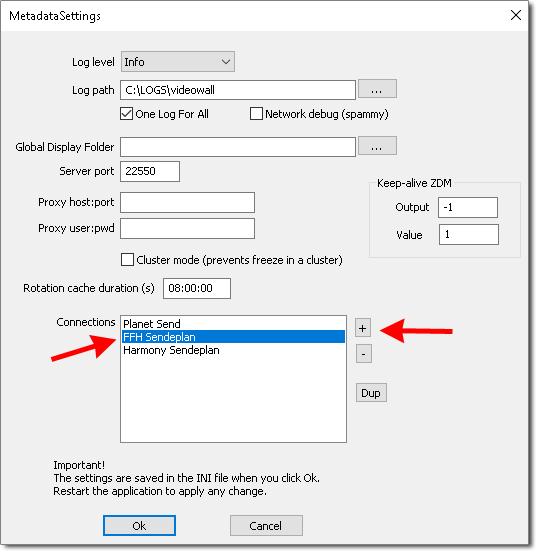
In the MetadataSettings window, click the + icon to add a new Connection. If a connection has already been set up, you can edit it by double-clicking the connection name.
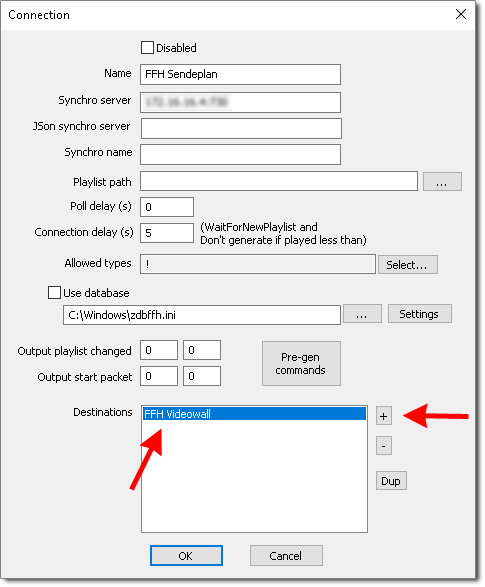
In the Connection window, you can then specify a destination (Destinations). A new destination can again be added using the + icon, or edited by double-clicking its name.
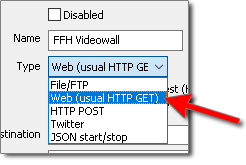
All important settings are now configured in the Destination window. First, select Web (usual HTTP GET) from the Type dropdown. This uses an HTTP GET request to call the Replacer API.
In the Generate on section, please tick the following checkboxes:
start packet
Wait for new playlist
stop packet
Untick the checkbox that is enabled by default for Generate on unallowed type.
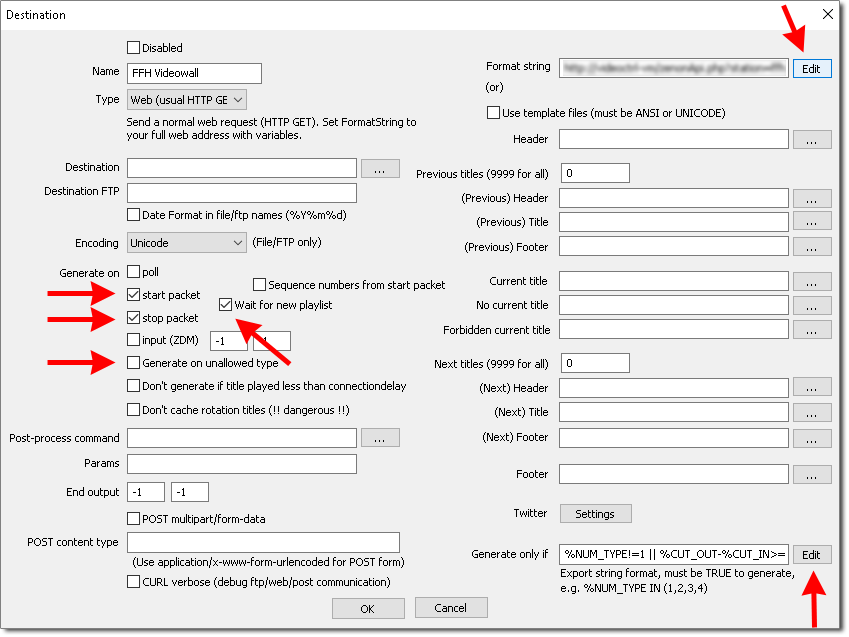
Enter the Replacer API URL in the Format string field. Click the Edit button to open a larger editing window. Save with OK.
http://replacer-<station_key>.radio-creator.com:5008/api/signal?send_id=%{%startpacket.sendid}%{%stoppacket.sendid}&isplaying=%{%startpacket.isvalid ?"true":"false"}&api_key=<api_key>
At FFH, the format string would look like this:
http://replacer-ffh.radio-creator.com:5008/api/signal?send_id=%{%startpacket.sendid}%{%stoppacket.sendid}&isplaying=%{%startpacket.isvalid ?"true":"false"}&api_key=12345678-1234-5678-1234-123456789012
In the Destination window, you can also define additional conditions for sending a signal. For example, this lets you exclude short audio elements such as hook teasers from signaling. To do this, click the Edit button next to Generate only if.
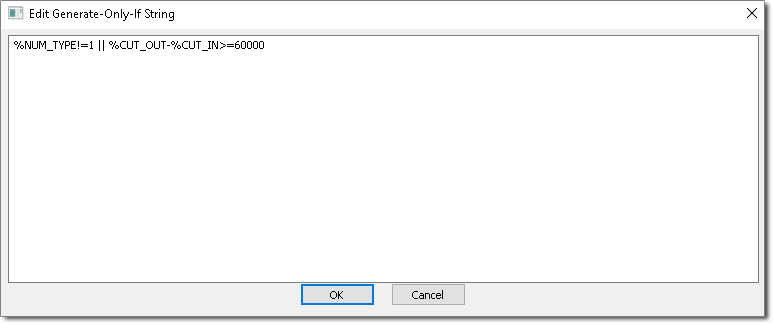
The following string excludes all music elements shorter than 60 seconds (in this example, NUM_TYPE 1 stands for music):
%NUM_TYPE!=1 || %CUT_OUT-%CUT_IN>=60000